Removing and Installing Parts 103
5
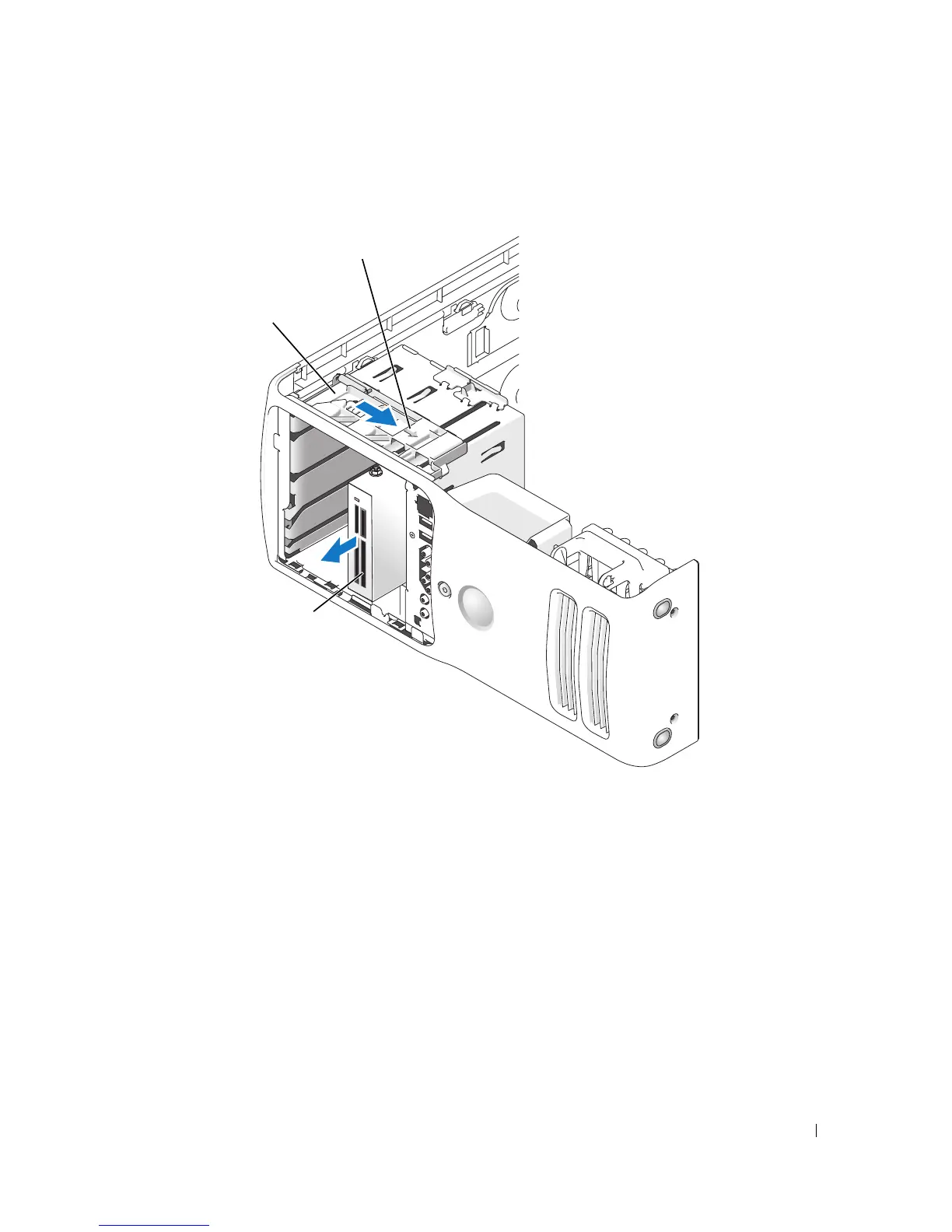
Disconnect the USB cable on the back of the Media Card Reader to the front panel USB
connector on the system board (see page 71) and route the cable through the clip on the
shroud.
6
While pushing on the back of the drive, remove the Media Card Reader by sliding and
holding the sliding plate.
7
Replace the drive panel (see page 93).
8
Replace the computer cover (see page 110).
*Media Card Reader
sliding plate
sliding plate lever
*
Not present on all computers.











 To Next Page