Removing and Installing Parts 75
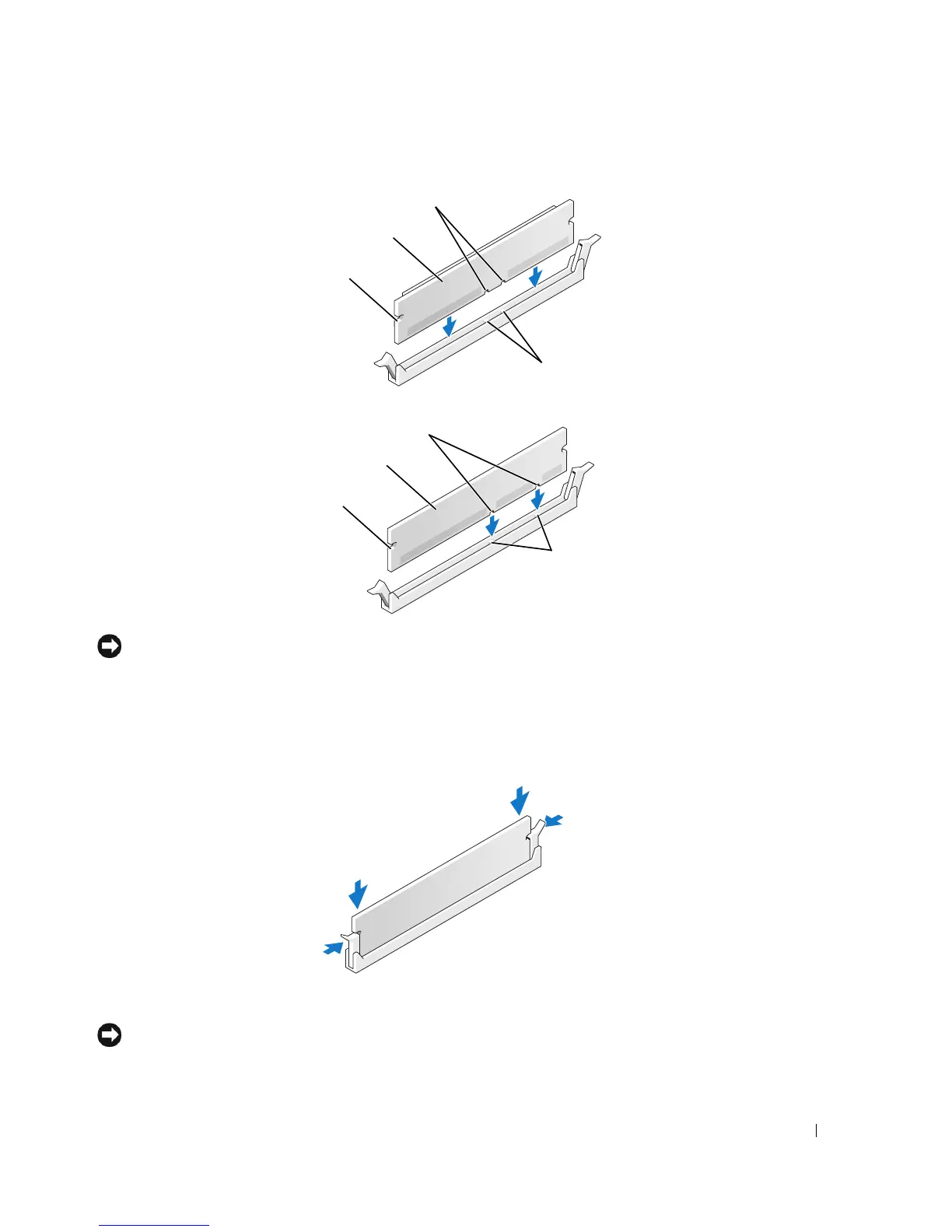
NOTICE: To avoid damage to the memory module, press the module straight down into the connector
while you apply equal force to each end of the module.
6
Insert the module into the connector until the module snaps into position.
If you insert the module correctly, the securing clips snap into the cutouts at each end of the
module.
7
Close the computer cover.
NOTICE: To connect a network cable, first plug the cable into the network wall jack and then plug it into
the computer.
notches
memory module
cutouts (2)
crossbars
notches
memory module
cutouts (2)
crossbars











 To Next Page