Removing and Installing Parts 85
11
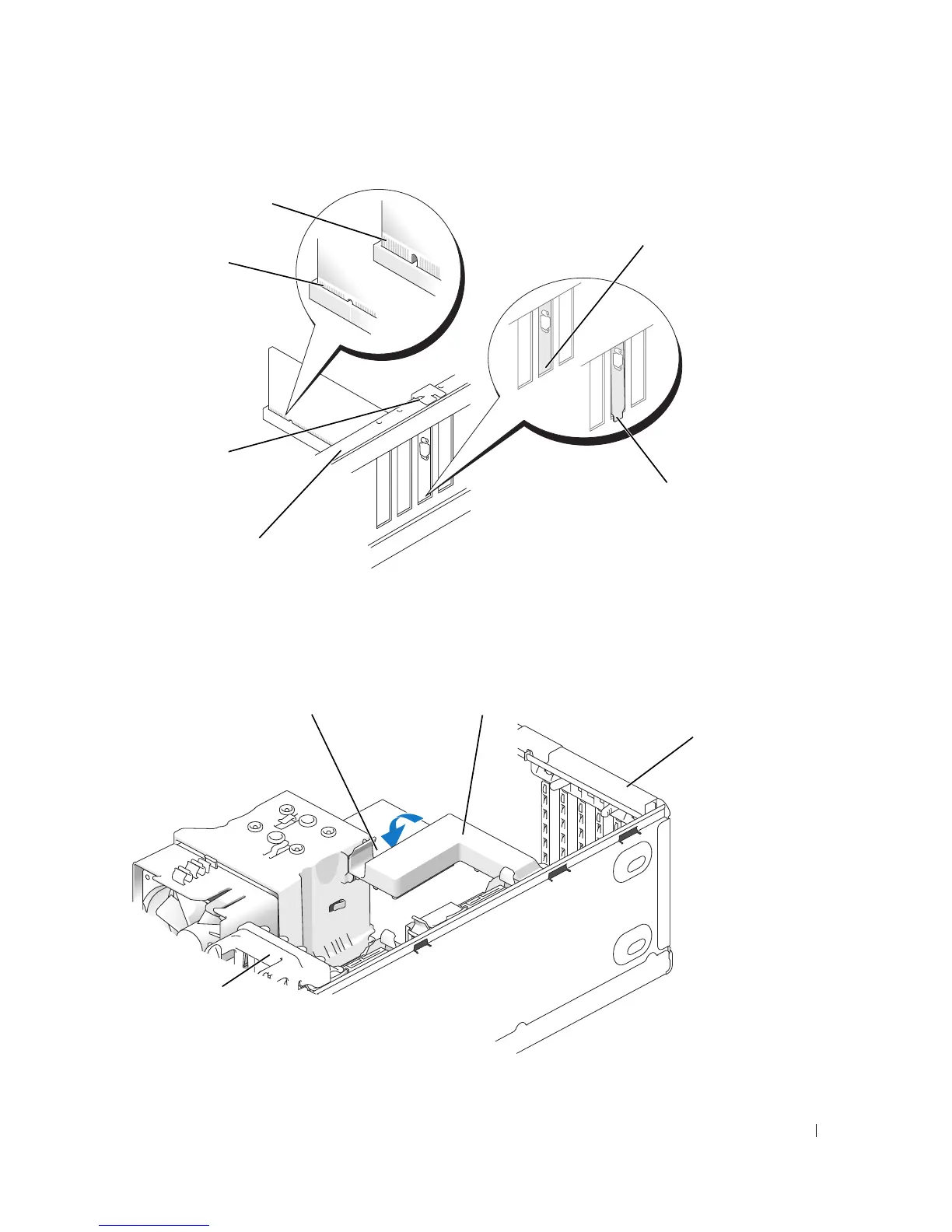
Ensure that:
• The tops of all cards and filler brackets are flush with the alignment bar.
• The notch in the top of the card or filler bracket fits around the alignment guide.
12
If you removed a card retention mechanism, snap it into place, securing the x16 PCI-E card.
fully seated card
not fully seated card
bracket caught
outside of slot
bracket within slot
alignment guide
alignment bar
card
retention
door
re
ease ta
car
retent
on mec
an
sm
*"piano" bracket
*may not be present on all computers











 To Next Page