Removing and Installing Parts 87
Removing a PCI Express Card
1
Follow the procedures in "Before You Begin" on page 63.
2
Remove the computer cover (see page 68).
3
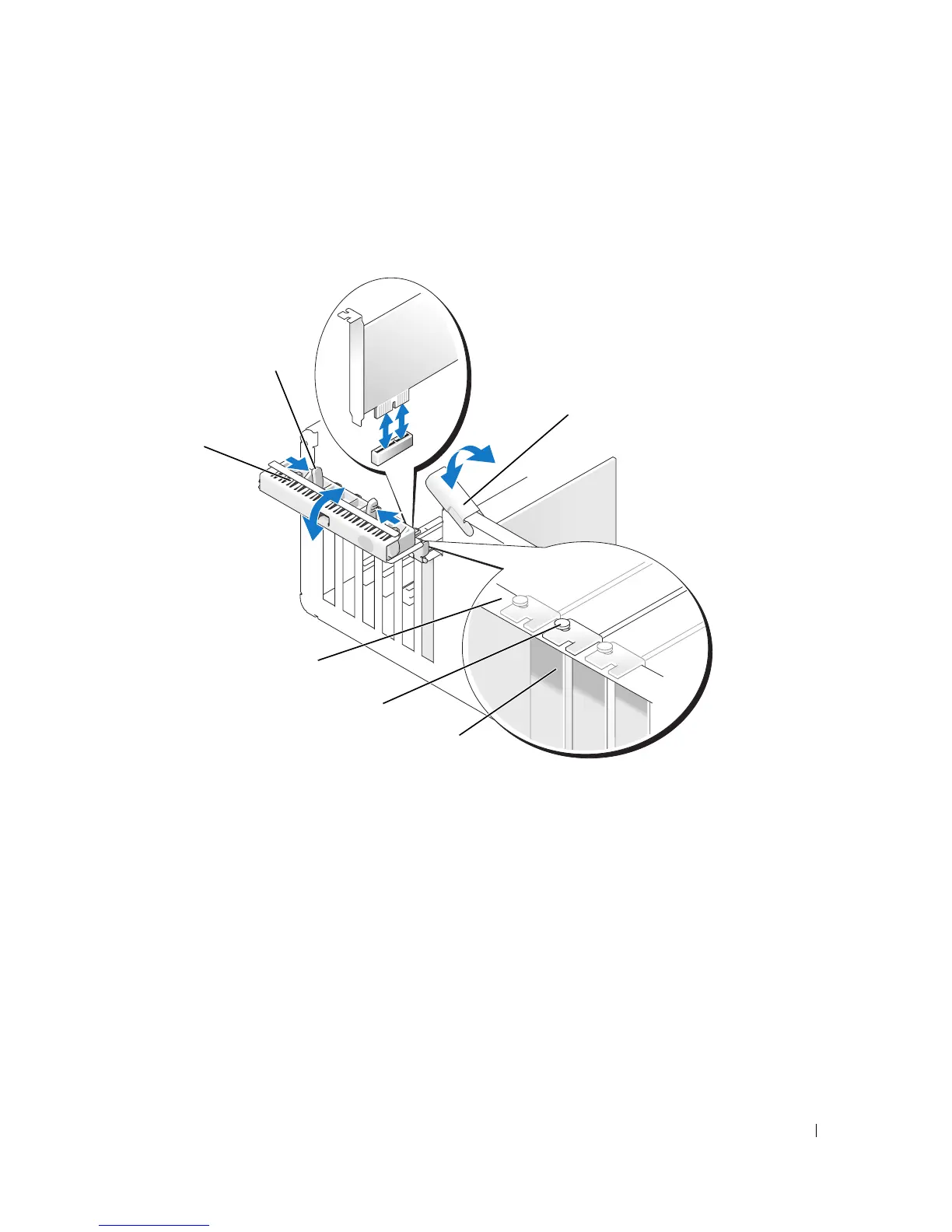
If present on your computer, rotate the lever on the chassis wall upward.
card retention
door
release tabs (2)
filler bracket
alignment guide
alignment bar
*lever on chassis wall
*may not be present on all computers











 To Next Page