Processzor folyadékhűtő egység
Removing the processor liquid-cooling assembly
Prerequisites
1. Follow the procedure in Before working inside your computer.
WARNING: Annak ellenére, hogy műanyag burkolattal van ellátva, a processzor vízhűtő egysége normál
működés esetén is erősen felforrósodhat. Mielőtt megfogja, hagyja kellő ideig hűlni.
CAUTION: Annak érdekében, hogy maximális hűtést biztosíthasson a processzornak, ne érintse meg a
processzor folyadékhűtő egység hőátadó felületeit. Az emberi bőr által termelt zsírok csökkenthetik a
hővezető paszta hőátadó képességet.
2. Remove the left-side cover.
3. Remove the top-cover.
4. Remove the right-side cover.
5. Remove the memory modules.
About this task
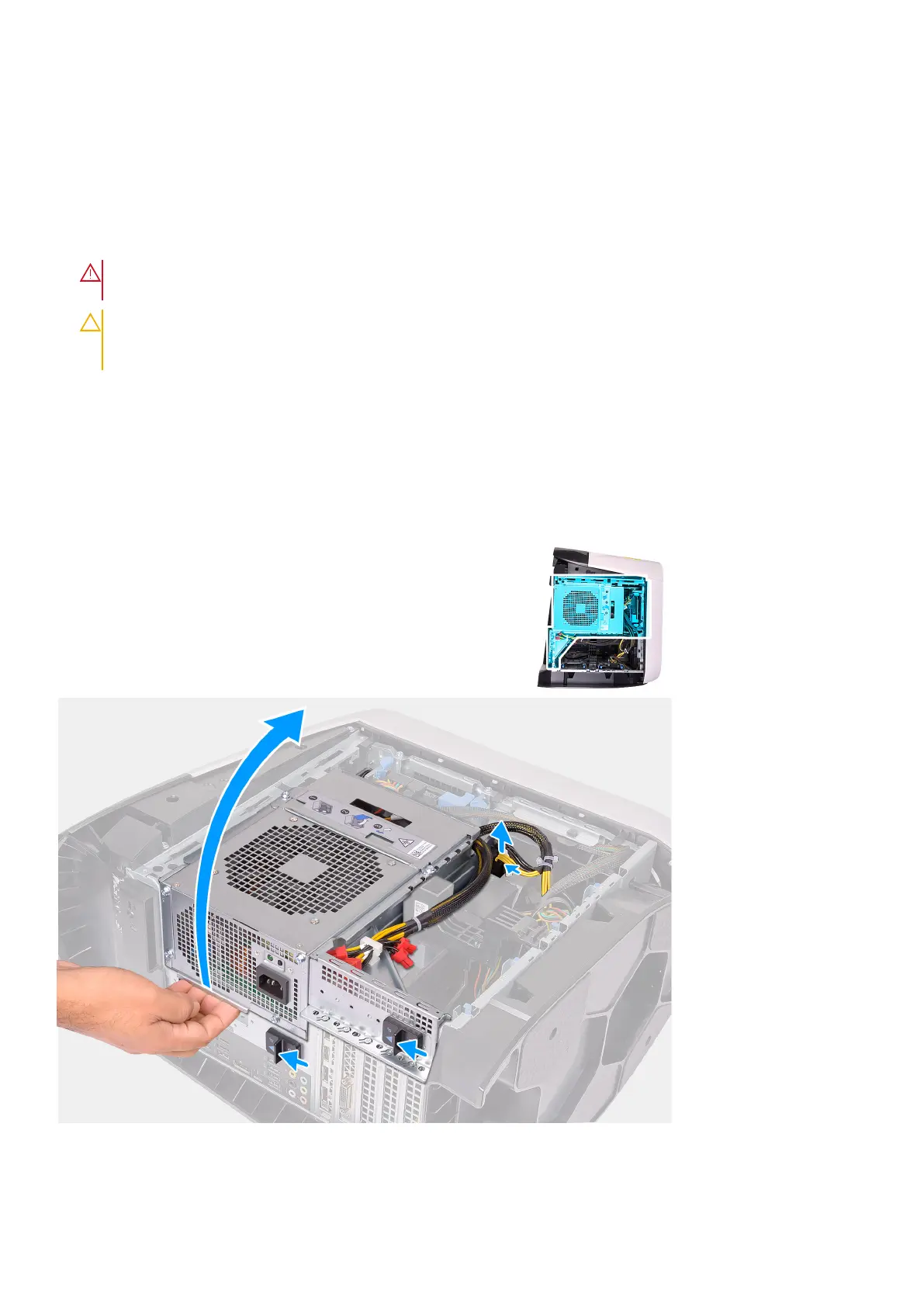
The following images indicate the location of the processor liquid-cooling assembly and provides a visual representation of the
removal procedure.
38
Alkatrészek eltávolítása és beszerelése











 To Next Page