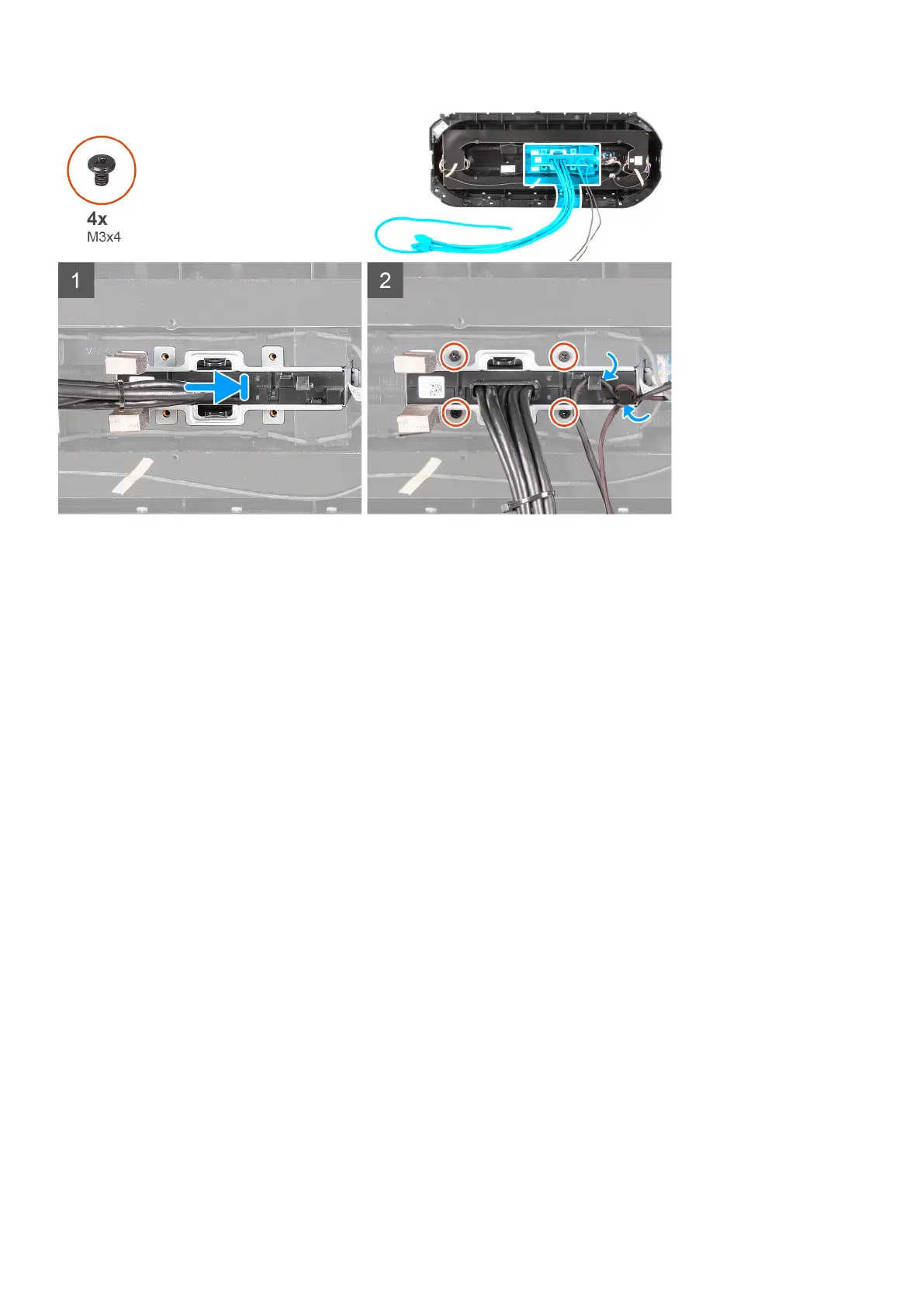
Steps
1. Align the screw holes on the front I/O-panel with the screw holes on the front bezel and snap it into place.
2. Route the cables through the routing guides on the front I/O-panel.
3. Replace the four screws (M3x4) that secures the front I/O-panel to the front bezel.
Next steps
1. Install the front bezel.
2. Install the right-side cover.
3. Install the left-side cover.
4. Install the top cover.
5. Follow the procedure in After working inside your computer.
Elülső házventilátor
Az elülső házventilátor eltávolítása
Elõfeltételek
1. Kövesse a Mielőtt elkezdene dolgozni a számítógép belsejében című fejezet utasításait.
2. Távolítsa el a bal oldali burkolatot.
3. Távolítsa el értelemszerűen az egy videokártyát vagy a dupla videokártyát.
Errõl a feladatról
Az alábbi ábrák az elülső házventilátor elhelyezkedését és az eltávolítási folyamatot szemléltetik.
82
Alkatrészek eltávolítása és beszerelése











 To Next Page