Steps
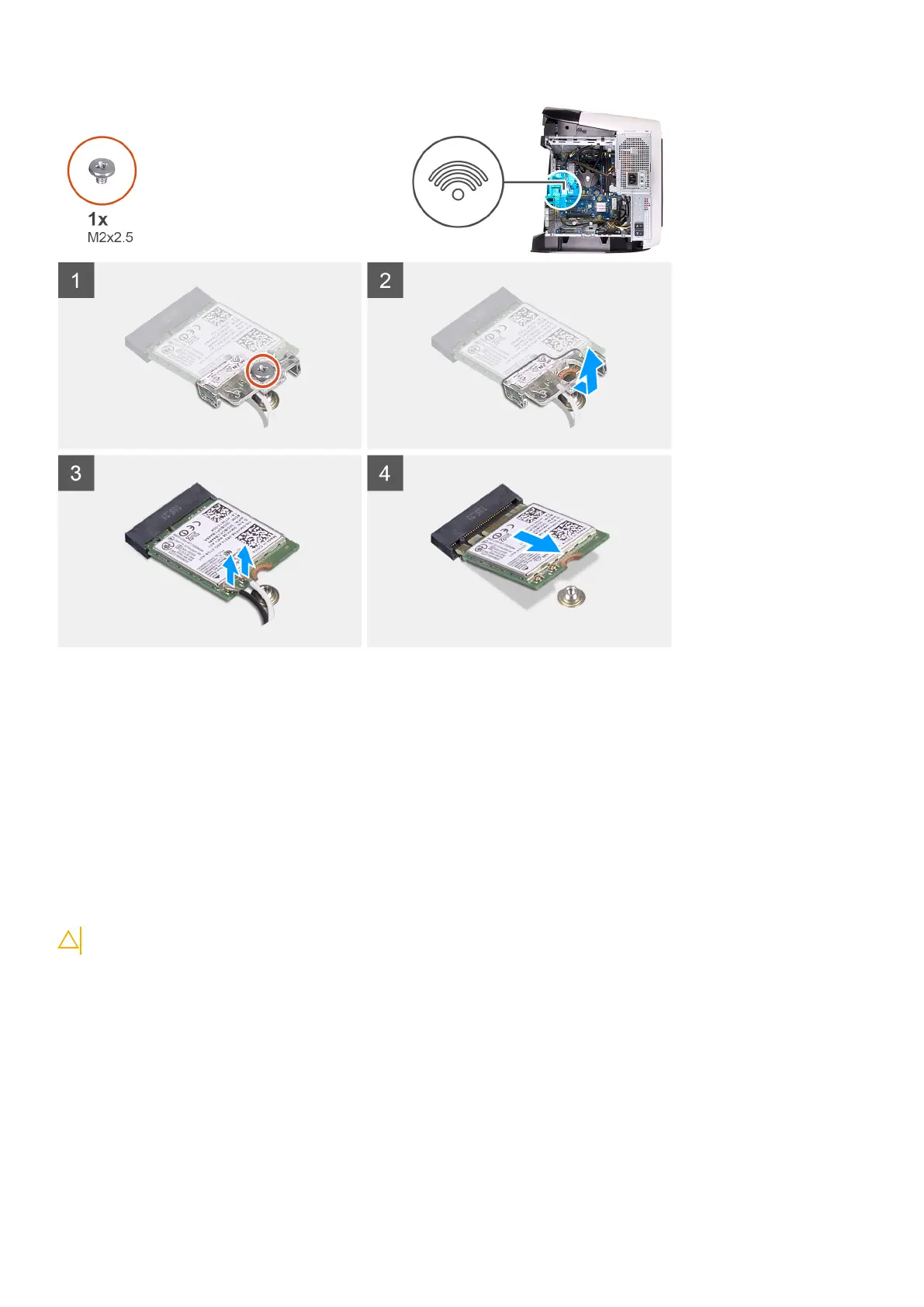
1. Remove the screw (M2x2.5) that secures the wireless card to the system board.
2. Lift the wireless-card bracket off the wireless card.
3. Disconnect the antenna cables from the wireless card.
4. Slide and remove the wireless card from the wireless-card slot.
Installing the wireless card
Prerequisites
Ha valamelyik alkatrész cseréjére van szükség, távolítsa el az eredetileg beszerelt alkatrészt, és ezt követően végezze el a
beszerelési eljárást.
CAUTION: A vezeték nélküli mini-card kártya sérülésének elkerülése érdekében ne helyezzen kábelt alá.
About this task
The following images indicate the location of the wireless card and provides a visual representation of the installation procedure.
Alkatrészek eltávolítása és beszerelése
77











 To Next Page