Steps
1. Place the processor fan and heat-sink assembly on the processor.
2. Align the captive screws on the processor fan heat-sink assembly with the screw holes on the system board.
3. In sequential order, tighten the four captive screws that secure the processor fan and heat-sink assembly to the system
board.
4. Connect the processor-fan cable to the system board.
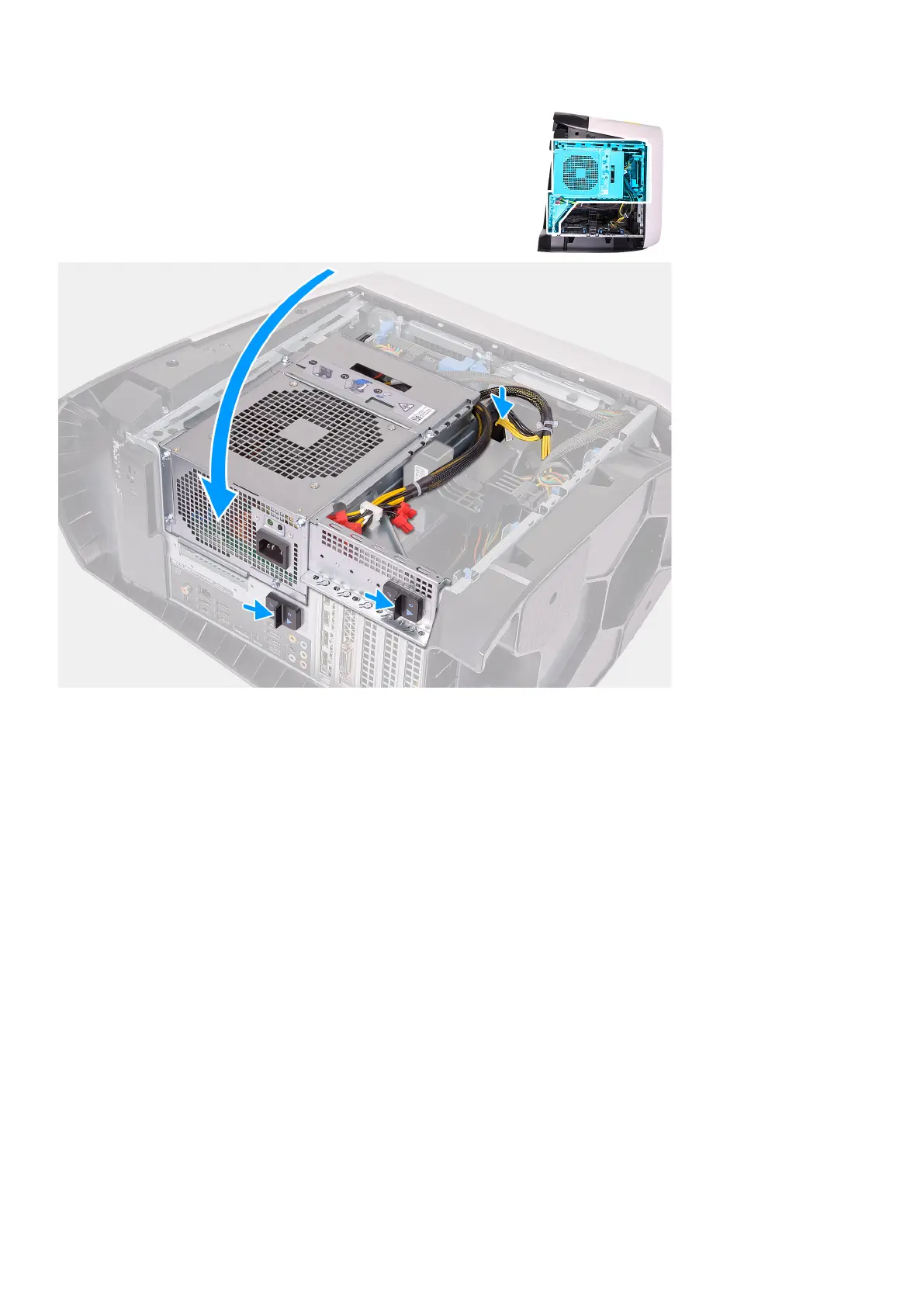
5. Rotate the power-supply unit cage towards the chassis.
6. Connect the power cables to the graphics card.
7. Slide the power-supply unit cage release latches towards the locked position.
Next steps
1. Install the left-side cover.
2. Follow the procedure in After working inside your computer.
Processzor
Removing the processor
Prerequisites
1. Follow the procedure in Before working inside your computer.
2. Remove the left-side cover.
74
Alkatrészek eltávolítása és beszerelése











 To Next Page