Setting up the monitor | 21
Wall mounting
DELL C5519QA
SVC Tag:
xxxxxxx
Express Service
Code:
xxx xxx xxx x
S/N: XXXXXXXX
XXXXXXXXXXXX
XXX
Date of Mfg: August. 2022
Flat Panel Monitor /Monitor Plano Panel /Moniteur écran plat
Model No. /Modelo /N°de modelo: C5519Qc
courant munie d'une mise à la terre.
Q40G055N-700-06A XX P
Made in China/
For UK only: One Creechurch Place, London EC3A 5AF
100-240V 50/60Hz,2.5A
Input Ra�ng /Entrada /Daya Tegangan /Tension d’entrée:
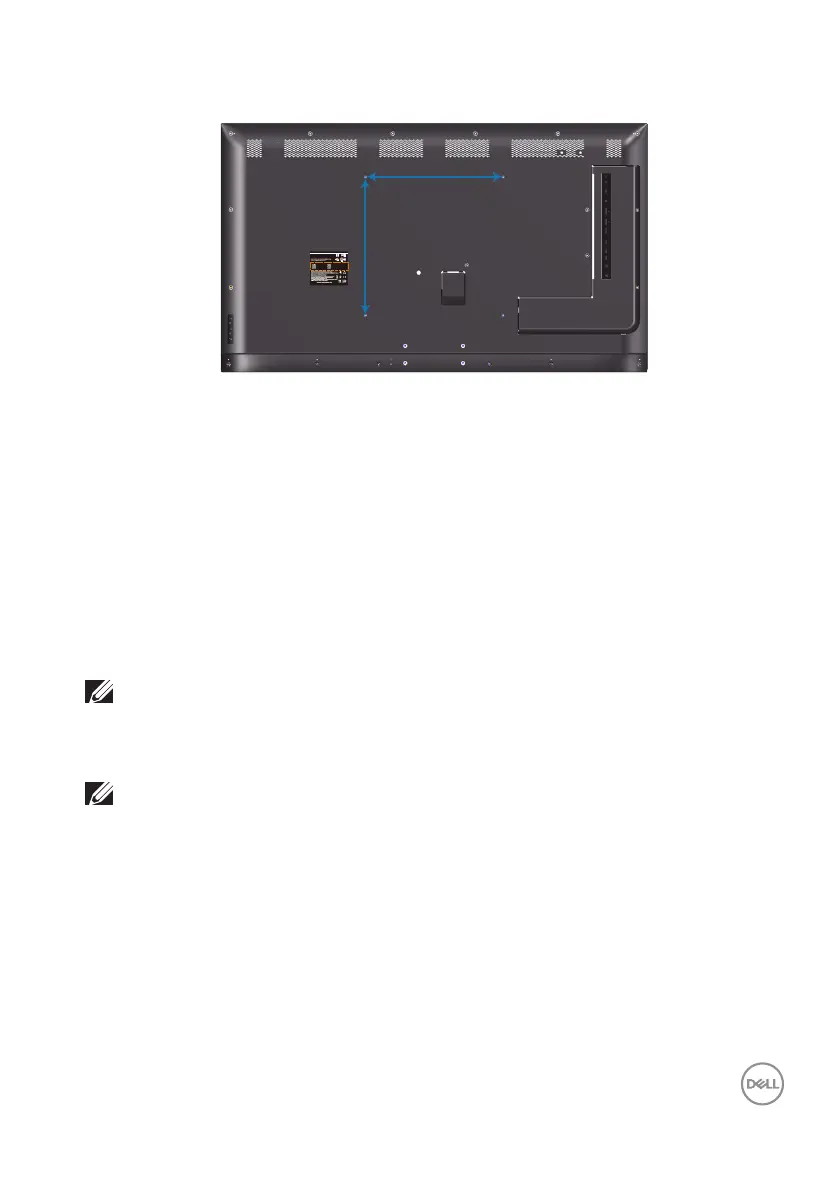
400mm
400mm
VESA screw hole dimension M6 x 30 mm.
Refer to installation instruction that comes with the 3rd party wall mount that
customer purchases. Vesa-compatible base mounting kit (400 x 400) mm.
1.
Install wall plate to Wall.
2.
Place the monitor panel on a soft cloth or cushion on a stable flat table.
3.
Attach the mounting brackets from the wall mounting kit to the monitor.
4.
Install monitor to wall plate.
5.
Ensure monitor is mounted vertically with no tilt forward or backward and a
leveler is used to assist to mount the monitor.
NOTE: Do not attempt to wall mount the monitor by yourself. It should
be installed by qualied installers.
Recommended Wall Mount for this monitor is can be found in the Dell
support website at www.dell.com/support.
NOTE: For use only with UL or CSA or GS-listed wall mount bracket
with minimum weight/load bearing capacity of 82 kg (180.78 lb).














 To Next Page