22 | Setting up the monitor
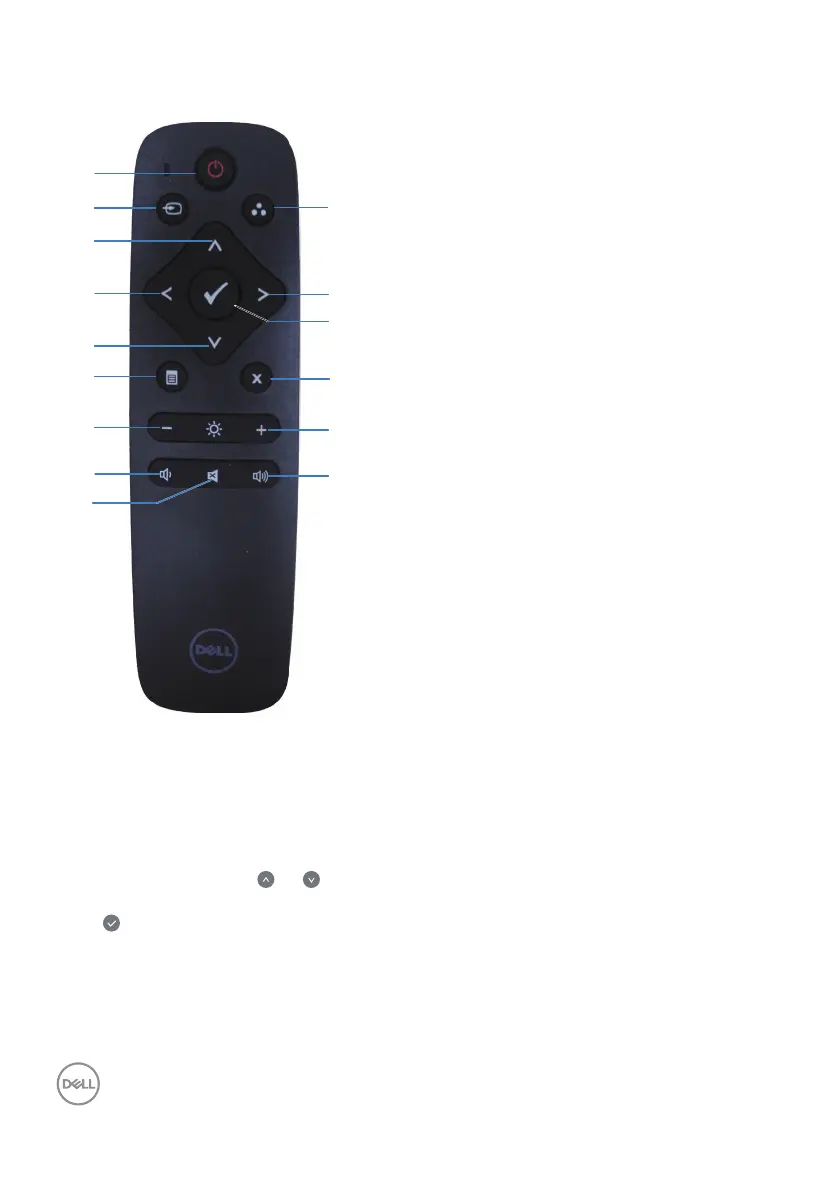
Remote control
1. Power on/o
Switch this monitor on or o.
2. Input source
Select input source. Press
or
button to
select from HDMI 1, HDMI 2, VGA or DP.
Press button to conrm and exit.
3. Up
Press to move the selection up in OSD menu.
4. Left
Press to move the selection left in OSD
menu.
5. Down
Press to move the selection down in OSD
menu.
6. Menu
Press to turn on the OSD menu.
7. Brightness -
Press to decrease the Brightness.
8. Volume -
Press to decrease the Volume.
9. Mute
Press to turn the mute function on/o.
10. Preset modes
Monitor information about Preset modes.
11. Right
Press to move the selection right in OSD
menu.
12. OK
Conrm an entry or selection.
13. Exit
Press to exit the Menu.
14. Brightness +
Press to increase the brightness.
15. Volume +
Press to increase the volume.














 To Next Page