74 Removing and Installing Parts
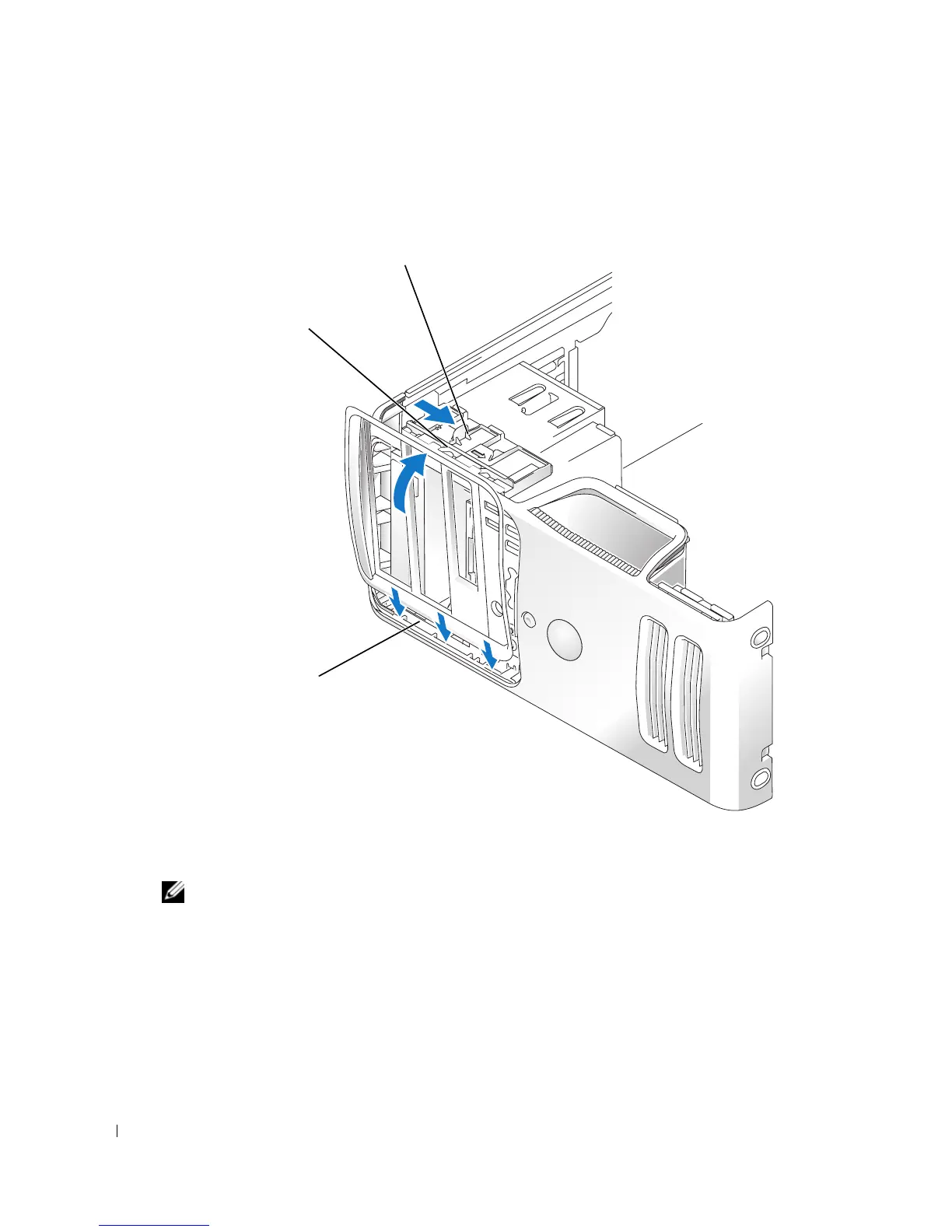
Removing the Drive Panel
1
Follow the procedures in "Before You Begin" on page 57.
2
Grasp the sliding plate lever and push it towards the base of the computer until the drive
panel snaps open.
NOTE: This sliding plate secures and releases the drive panel and helps to secure the drives.
3
Pivot the drive panel outward and lift it from its side hinges.
4
Set the drive panel aside in a secure location.
drive panel
sliding plate
sliding plate lever














 To Next Page