Removing and Installing Parts 87
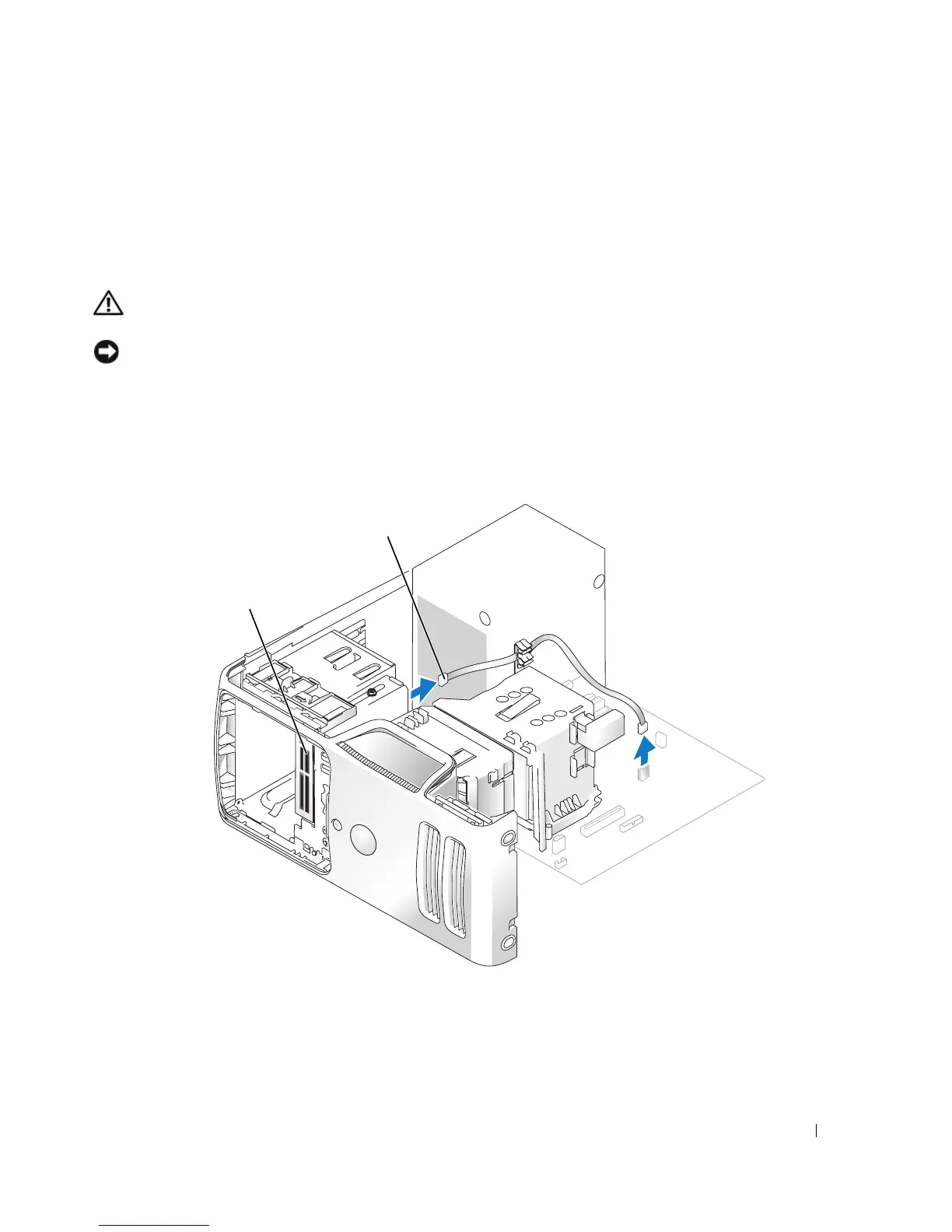
Media Card Reader
For information on using the Media Card Reader, see "Using a Media Card Reader (Optional)" on
page 20.
Removing a Media Card Reader
CAUTION: Before you begin any of the procedures in this section, follow the safety instructions
located in the Product Information Guide.
NOTICE: To prevent static damage to components inside your computer, discharge static electricity
from your body before you touch any of your computer’s electronic components. You can do so by
touching an unpainted metal surface on the computer chassis.
1
Follow the procedures in "Before You Begin" on page 57.
2
Remove the drive panel (see page 74).
cable
*Media Card Reader
*
Not present on all computers.














 To Next Page