Removing and Installing Parts 75
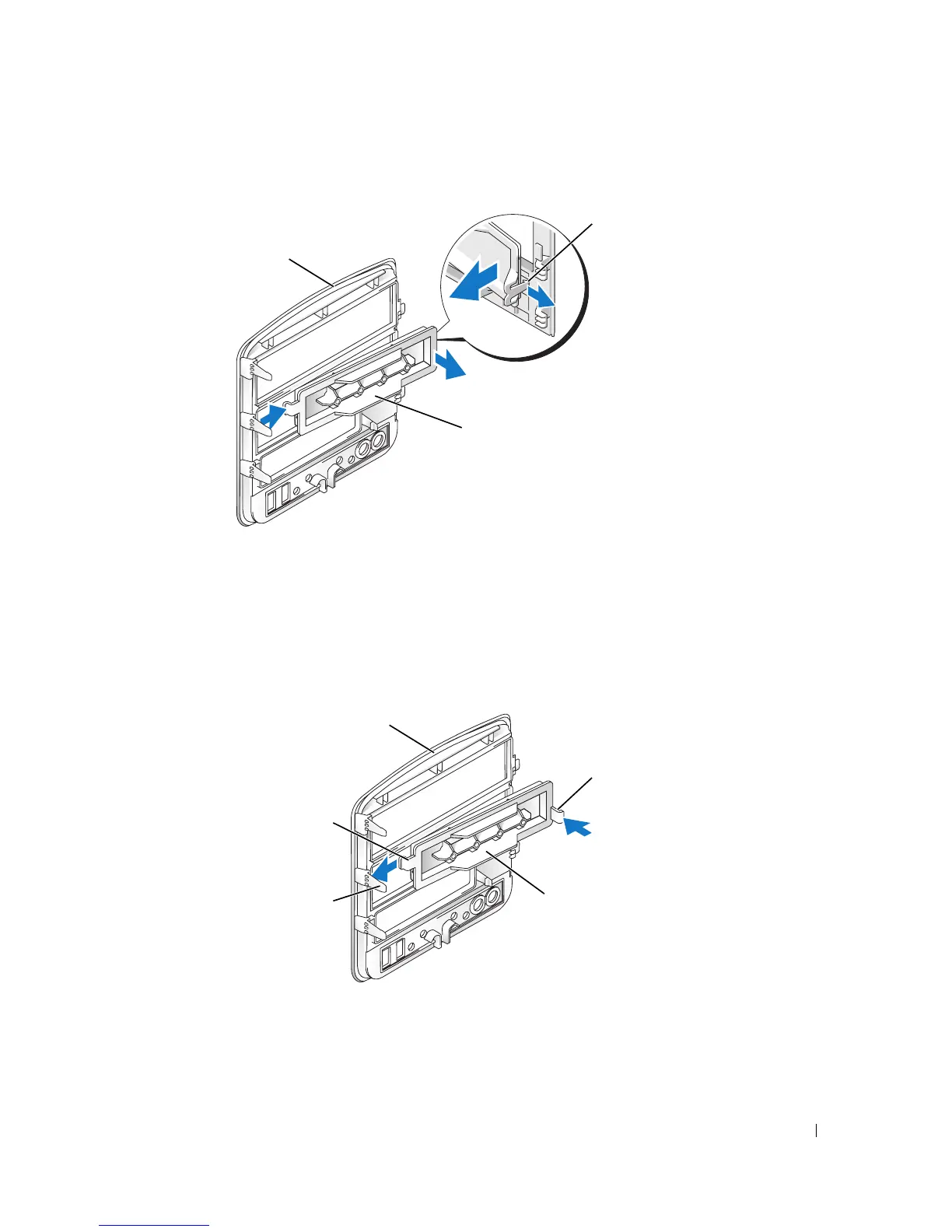
Removing the Drive-Panel Insert
1
Remove the drive panel.
2
Press the drive-panel insert latch inwards to unlatch it from the drive panel.
3
Pivot the drive-panel insert out and away from the drive panel.
4
Set the drive-panel insert aside in a secure location.
Replacing the Drive-Panel Insert
1
Slide the drive-panel insert tab under the center drive-panel tab.
2
Rotate the drive-panel insert into place and snap the drive-panel insert latch over the
corresponding tab on the drive panel.
drive panel
drive-panel insert
drive-panel
insert latch
center drive-panel
tab
drive-panel
insert latch
drive panel
drive-panel insert
drive-panel
insert tab














 To Next Page