92 Removing and Installing Parts
4
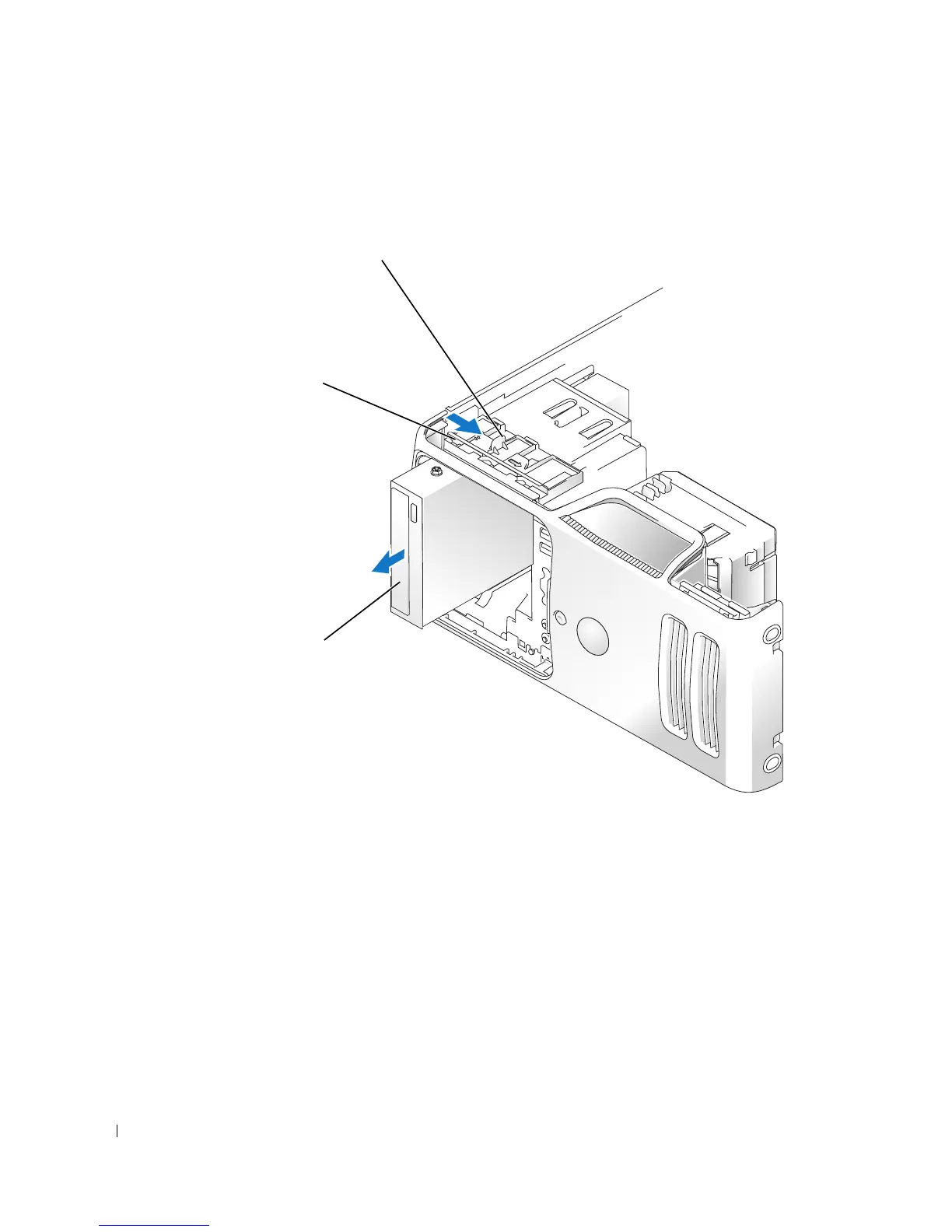
Grasp the sliding plate lever and push it towards the base of the computer; then, hold it in
place while you slide the CD/DVD drive from the computer.
Installing a CD/DVD Drive
1
Follow the procedures in "Before You Begin" on page 57.
2
If you are installing a new CD/DVD drive rather than replacing a CD/DVD drive, remove the
drive-panel insert (see page 75).
CD/DVD drive
sliding plate
sliding plate lever














 To Next Page