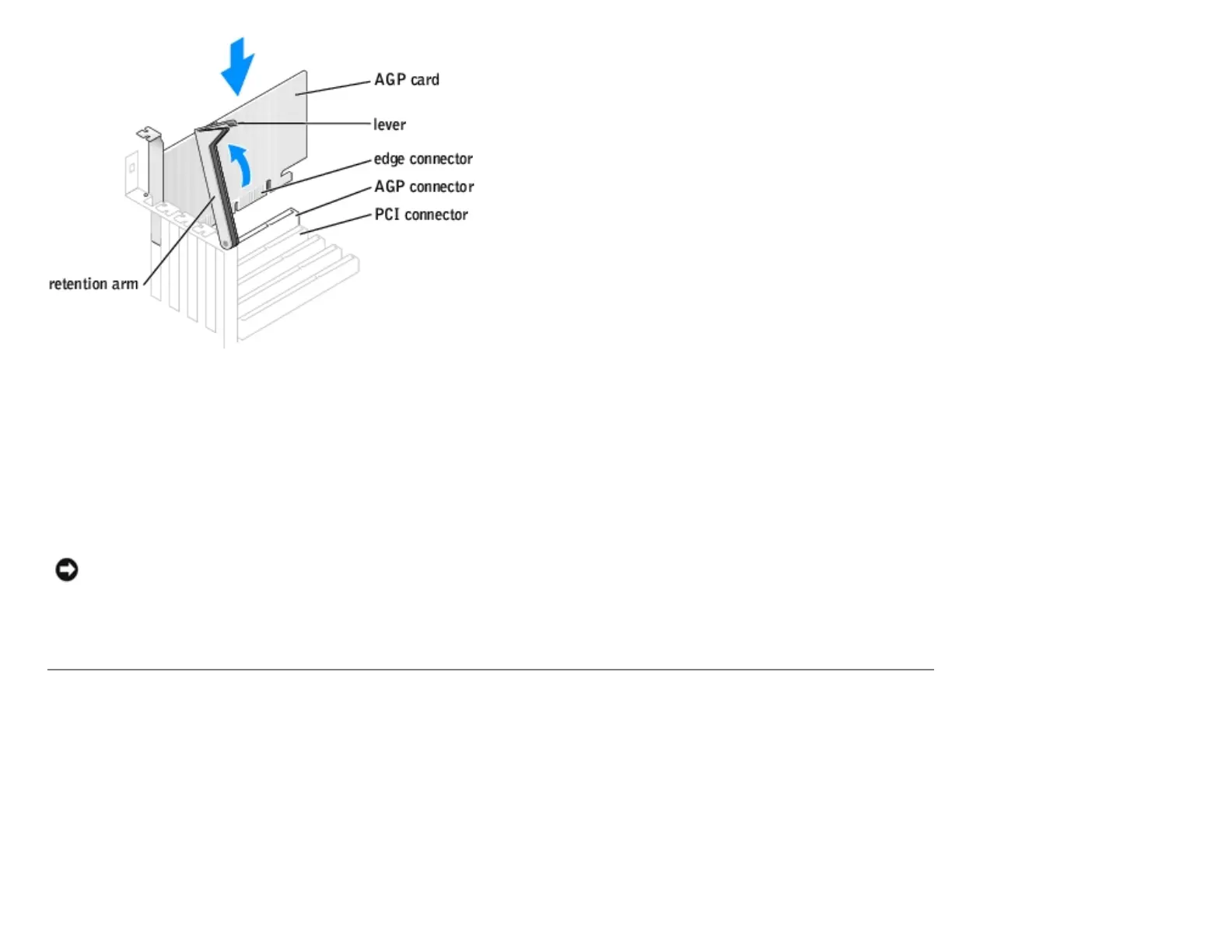
4. Gently press the card into the AGP connector until it clicks into place, ensuring that the tab fits into the notch on the
front end of the card.
5. Lower the retention arm and press it into place, securing the card(s) in the computer.
6. Close the computer cover.
7. Connect the monitor cable to the card's video connector.
NOTICE: To connect a network cable, first plug the cable into the network wall jack and then plug it into the
computer.
8. Connect your computer and devices to electrical outlets, and turn them on.
Drives
Overview
Your computer supports one floppy drive and a combination of up to four of the following:
● Either two IDE hard drives or two Serial ATA hard drives
● Two CD or DVD drives
http://support.dell.com/support/edocs/systems/dimxpsg2/en/SM/parts.htm (10 of 37) [3/26/2008 3:57:09 PM]










 To Next Page