Removing the Power Supply
NOTICE: Before disconnecting a device from the computer, wait 10 to 20 seconds after disconnecting the computer
from its electrical outlet. Before removing a component from the system board, verify that the standby power light on
the system board has turned off. To locate this light, see "System Board Components."
1. Follow the instructions in "Before You Begin."
2. Open the computer cover.
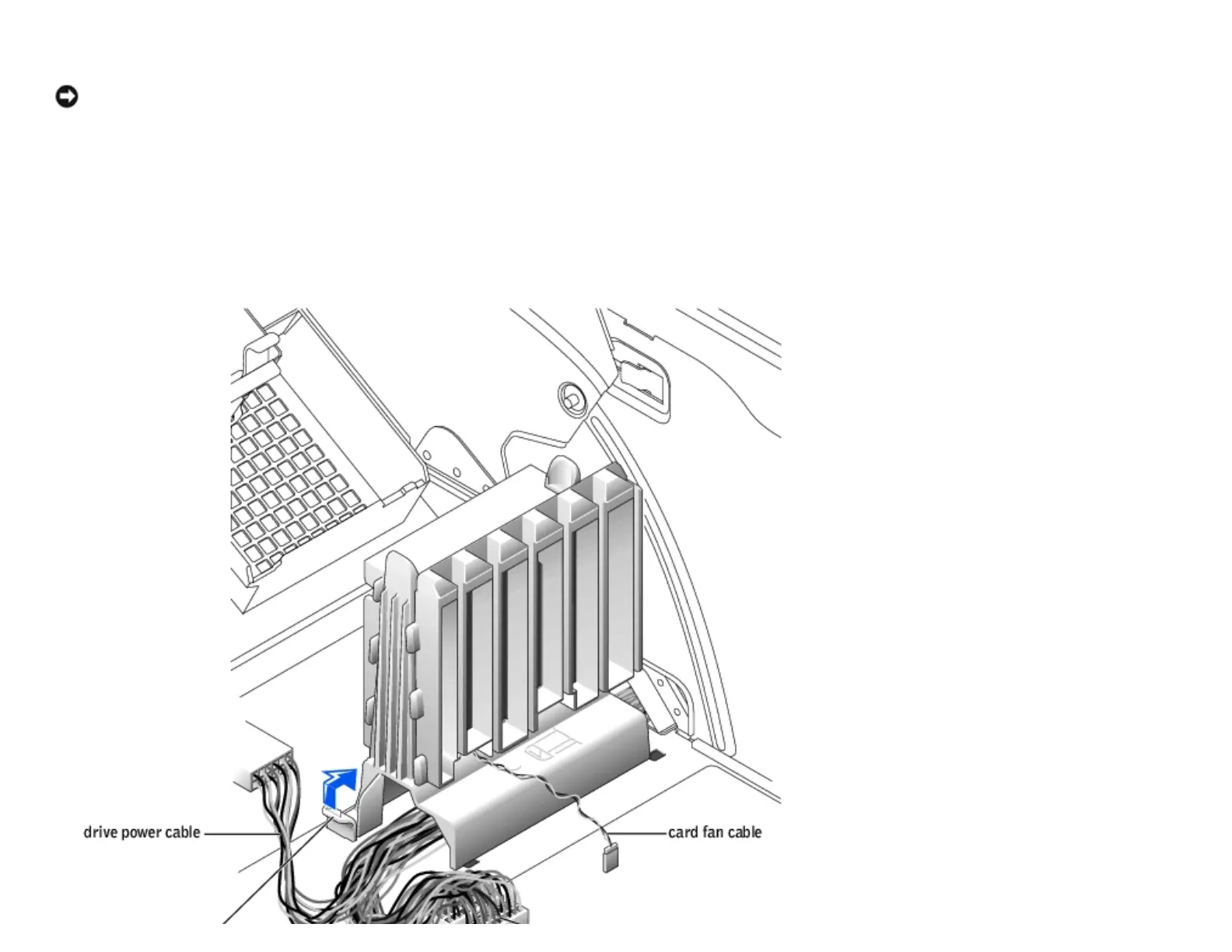
3. Remove the card and the card fan.
4. Disconnect the power supply cables and the card fan cable.
http://support.dell.com/support/edocs/systems/dimxpsg2/en/SM/parts.htm (28 of 37) [3/26/2008 3:57:09 PM]










 To Next Page