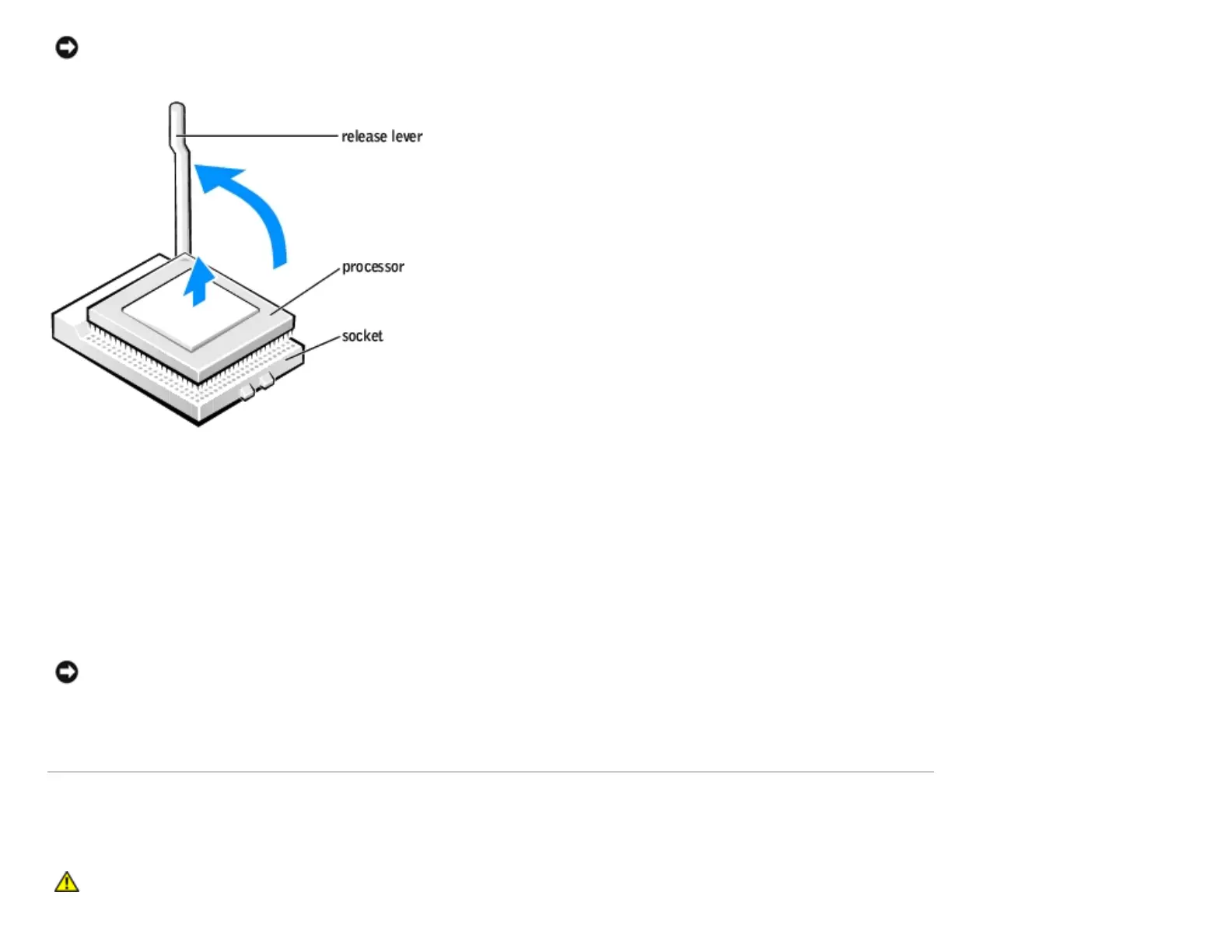
NOTICE: Be careful not to bend any of the pins when you remove the processor from the socket. Bending the pins
can permanently damage the processor.
6. Remove the processor from the socket.
If you are replacing the processor, leave the release lever extended in the release position so that the socket is ready for
the new processor and go to "Installing the Processor."
7. Replace the airflow shroud.
8. Close the computer cover.
NOTICE: To connect a network cable, first plug the cable into the network wall jack and then plug it into the
computer.
9. Connect your computer and devices to electrical outlets, and turn them on.
System Board
CAUTION: Before you begin any of the procedures in this section, follow the safety instructions in your
Owner's Manual.
http://support.dell.com/support/edocs/systems/dimxpsg2/en/SM/parts.htm (25 of 37) [3/26/2008 3:57:09 PM]










 To Next Page