CAUTION: Before you begin any of the procedures in this section, follow the safety instructions in your
Owner's Manual.
Removing a Floppy Drive
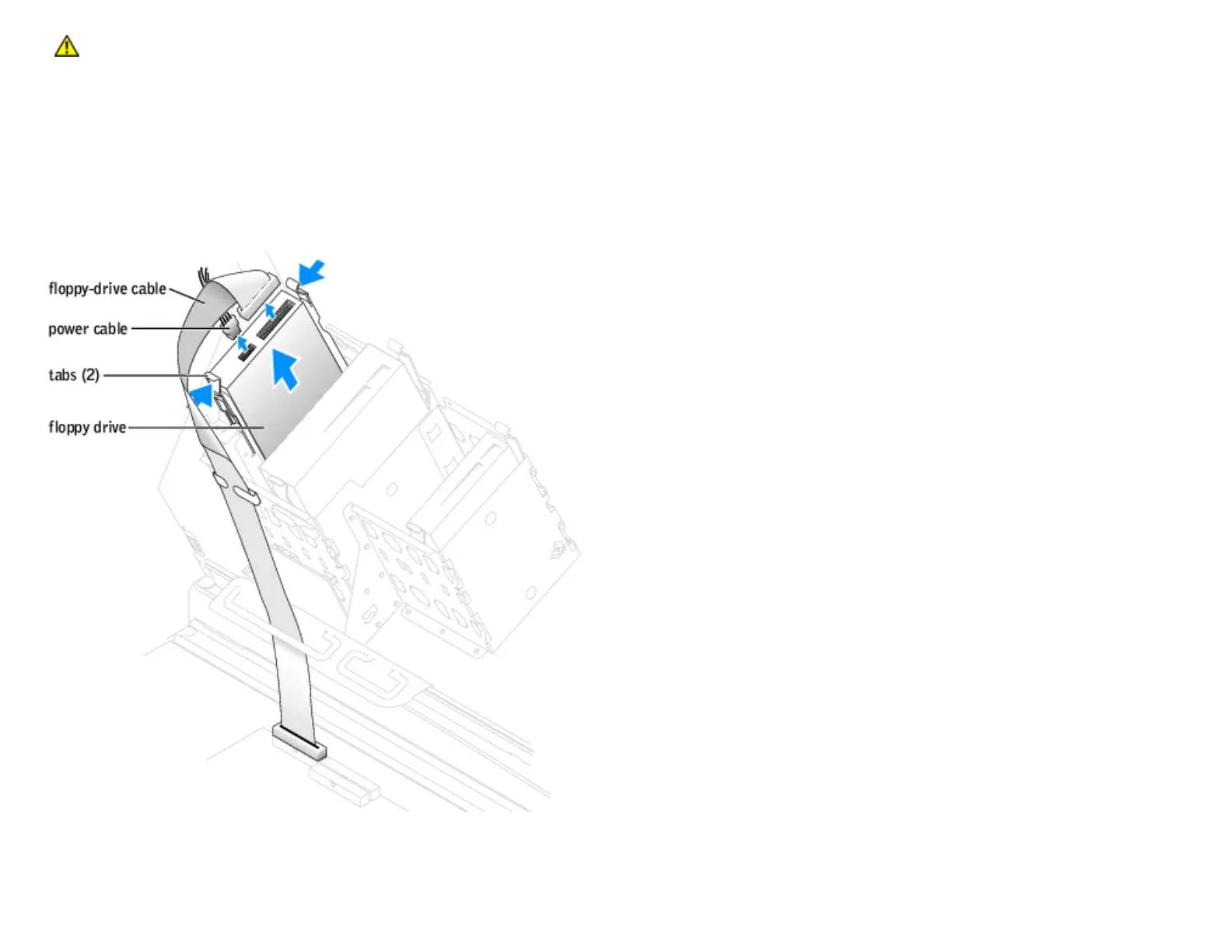
1. Follow the instructions in "Before You Begin."
2. Open the computer cover.
3. Disconnect the power and floppy-drive cables from the back of the floppy drive.
4. Press inward on the two tabs on the sides of the drive, slide the drive upward, and remove it from the floppy-drive bay.
Installing a Floppy Drive
http://support.dell.com/support/edocs/systems/dimxpsg2/en/SM/parts.htm (15 of 37) [3/26/2008 3:57:09 PM]










 To Next Page