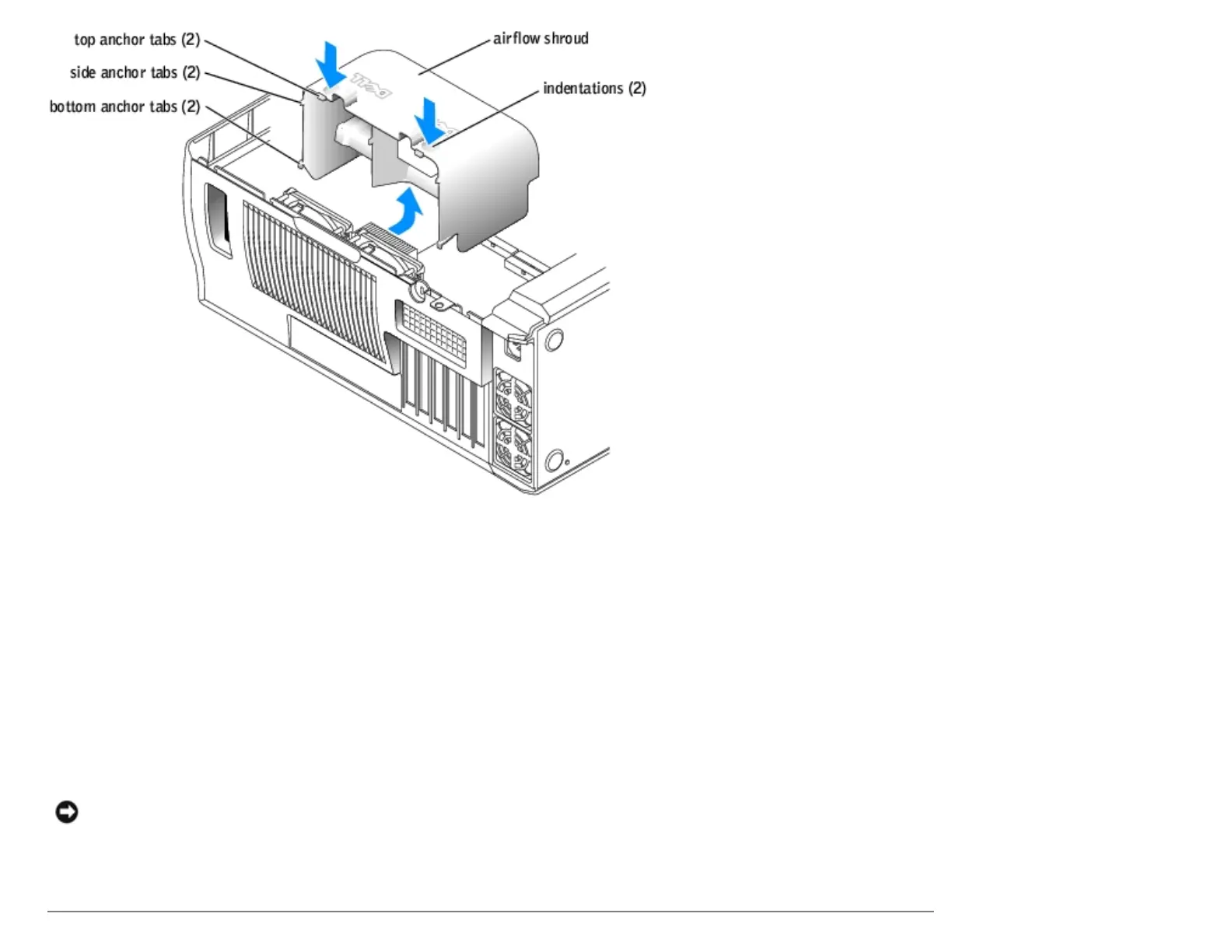
Installing the Processor Airflow Shroud
1. Follow the instructions in "Before You Begin."
2. Open the computer cover.
3. Insert the bottom anchor tabs into the anchor slots.
4. Align and insert the side anchor tabs into the anchor slots.
5. Press the indentations until the top anchor tabs on the shroud snap securely into place.
6. Close the computer cover.
NOTICE: To connect a network cable, first plug the cable into the network wall jack and then plug it into the
computer.
7. Connect your computer and devices to electrical outlets, and turn them on.
http://support.dell.com/support/edocs/systems/dimxpsg2/en/SM/parts.htm (21 of 37) [3/26/2008 3:57:09 PM]










 To Next Page