Removing the System Board
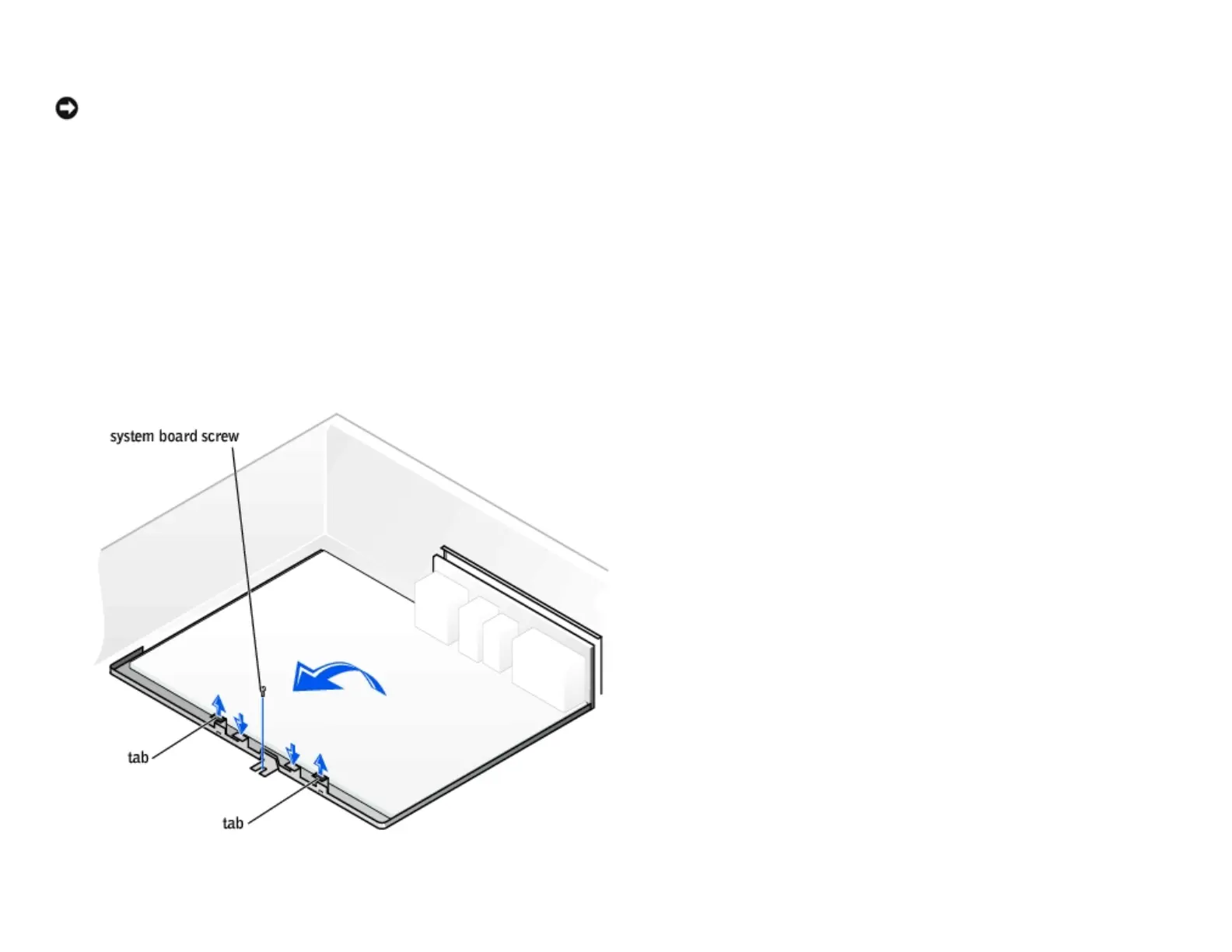
NOTICE: The system board and metal tray are connected and are removed as one
piece.
1. Follow the instructions in "Before You Begin."
2. Open the computer cover.
3. Remove any components that restrict access to the system board.
4. Disconnect all cables from the system board.
5. Before you remove the existing system board assembly, visually compare the replacement system board to the existing
system board to make sure that you have the correct part.
6. Remove the system board screw.
7. Pull up on the two tabs, slide the system board assembly toward the front of the computer, and then lift the assembly
http://support.dell.com/support/edocs/systems/dimxpsg2/en/SM/parts.htm (26 of 37) [3/26/2008 3:57:09 PM]










 To Next Page