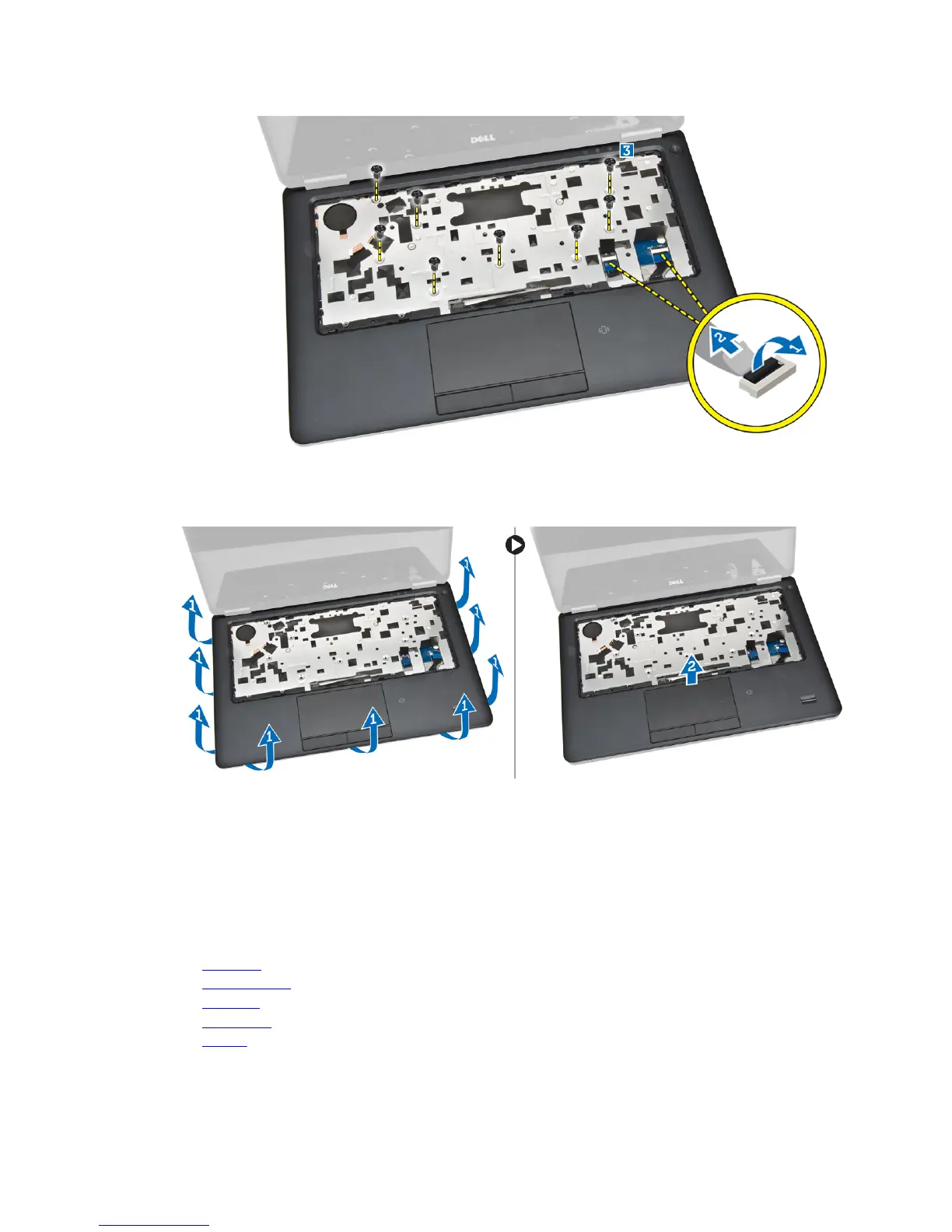
5. Perform the following steps as shown in the illustration:
a. Pry the edges of the palmrest assembly [1].
b. Lift the palmrest assembly from the computer [2].
Installing the Palmrest
1. Align the palm rest assembly to its original position in the computer and snap it into place.
2. Tighten the screws to secure the palmrest assembly to the front of the computer.
3. Connect the keyboard and touch cable to the system board.
4. Tighten the screws that secure the palmrest assembly to the base of the computer.
5. Install:
a. keyboard
b. keyboard trim
c. SSD card
d. base cover
e. battery
17














 To Next Page