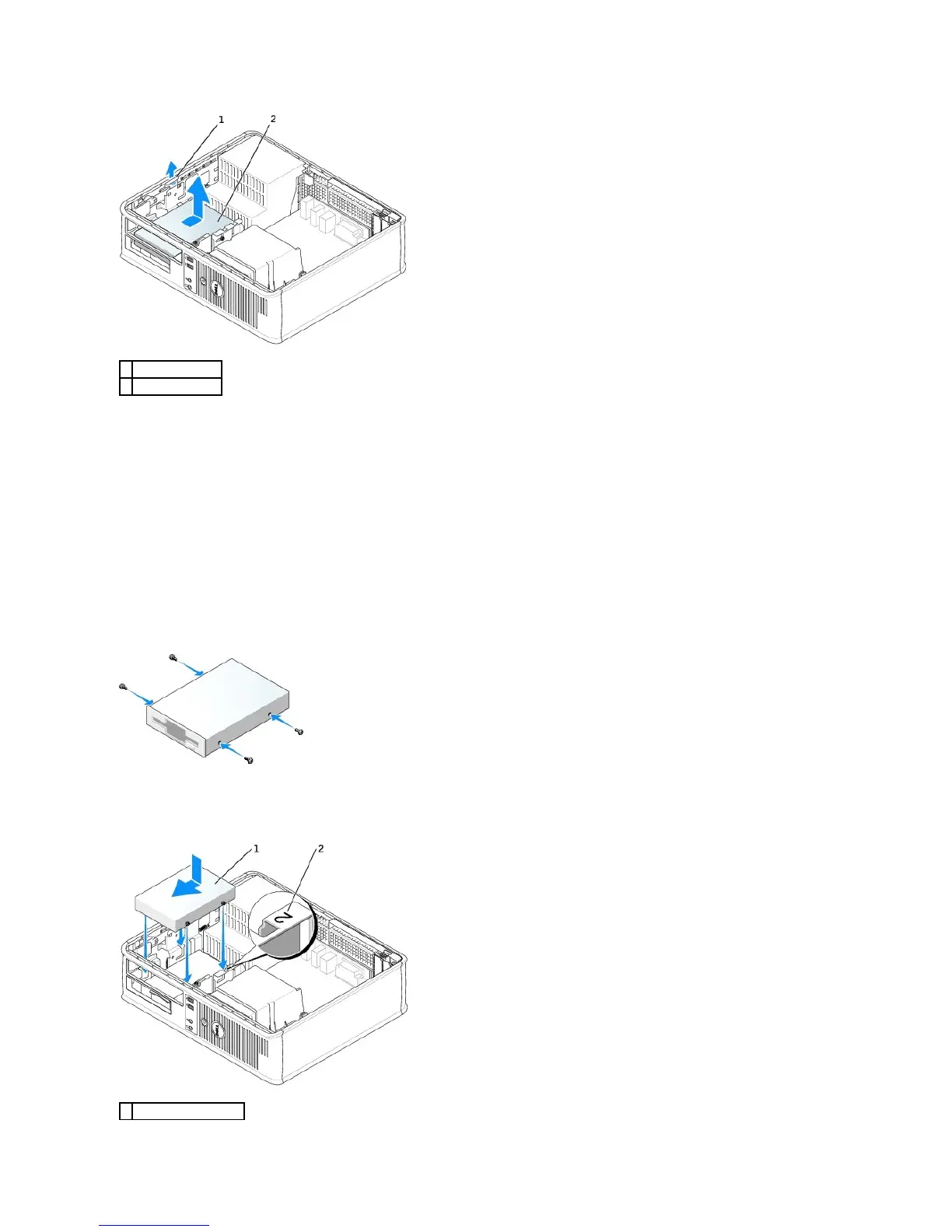
4. Disconnect the power and floppy-drive cables from the back of the floppy drive.
Installing a Floppy Drive
1. If you are installing a new drive:
a. Use a small flat-edge screw driver on the back side of the drive-panel insert to gently pop off the insert.
b. Remove the four shoulder screws from the drive-panel insert.
2. If you are replacing an existing drive:
Remove the four shoulder screws from the existing drive.
3. Insert the four shoulder screws into the sides of the new floppy drive and tighten them.
4. Attach the power and floppy-drive cables to the floppy drive.
5. Align the shoulder screws with the screw guides, and slide the drive into the bay until it clicks into place.















 To Next Page