EasyManua.ls Logo

Dell Optiplex-620 - Removing a CD;DVD Drive

Dell Optiplex-620
221 pages
Print Icon
To Next Page IconTo Next Page
To Previous Page IconTo Previous Page
Loading...
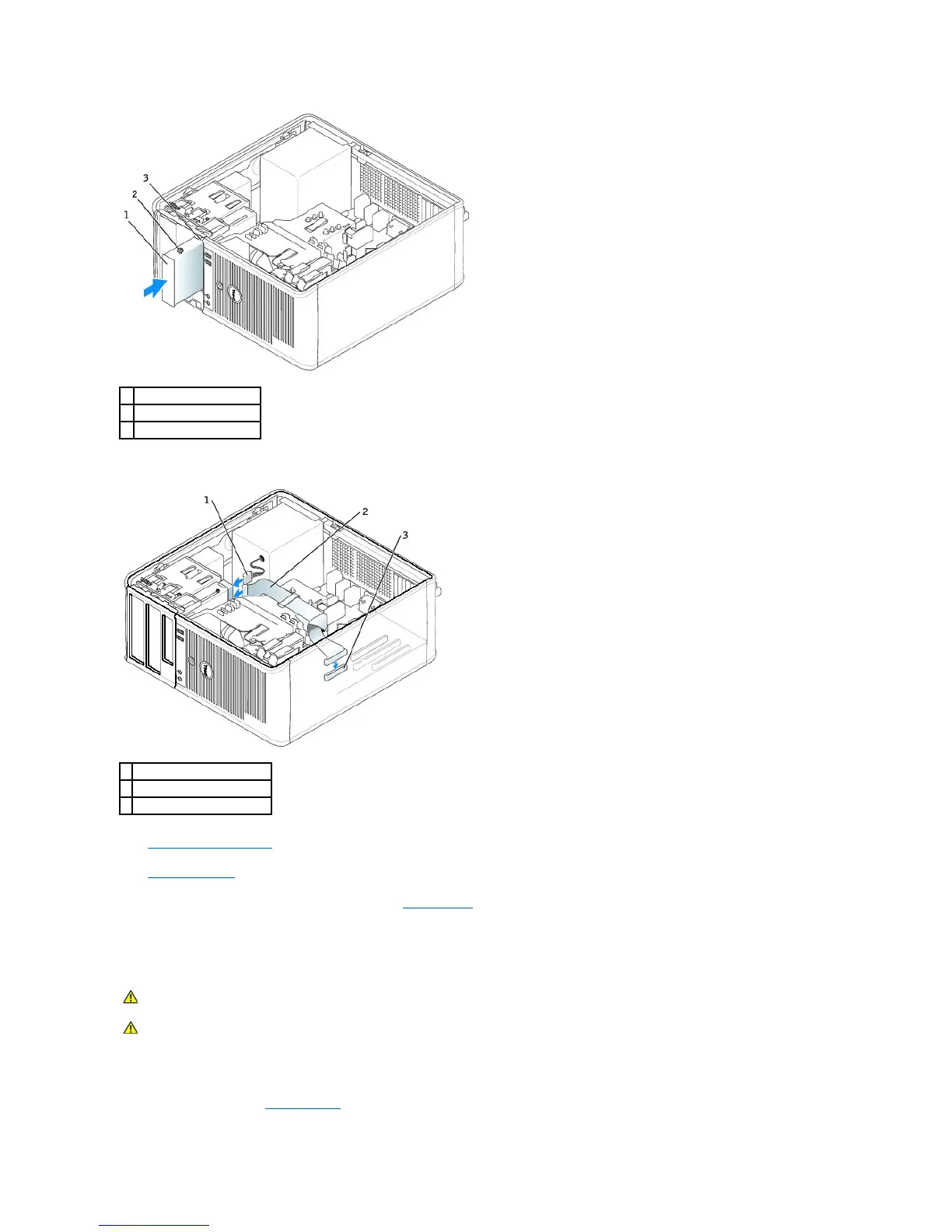
4. Attach the power and floppy-drive cables to the floppy drive.
5. Replace the computer cover.
6. Enter system setup and use the Diskette Drive option to enable your new floppy drive.
7. Verify that your computer works correctly by running the Dell Diagnostics.
CD/DVD Drive
Removing a CD/DVD Drive
1. Follow the procedures in "Before You Begin."
1
floppy drive
2
shoulder screws (4)
3
shoulder screw slots (2)
1
power cable
2
floppy-drive cable
3
floppy-drive connector (DSKT)
CAUTION: Before you begin any of the procedures in this section, follow the safety instructions located in the Product Information Guide.
CAUTION: To guard against electrical shock, always unplug your computer from the electrical outlet before replacing the cover.

Table of Contents

Related product manuals