Back to Contents Page
Dell™OptiPlex™GX620
User's Guide
Module Bay
Module Bay
You can install a Dell™ portable device such as a floppy drive, CD/DVD drive, or second hard drive in the module bay.
Your Dell computer ships with either a CD/DVD drive or an airbay (filler blank) installed in the module bay. You can secure a device in the module bay by two
methods:
l Locking switch (accessed by removing the computer cover)
l Device screw (packaged separately)
See "Securing a Device in the Module Bay" for more information about securing a device in your computer.
Installing a Device When Your Computer Is Turned Off
To install a device in the module bay:
1. If the module bay contains an airbay instead of a device, pull the airbay out of the module bay and skip to step 5. If the airbay is locked, remove the
device screw.
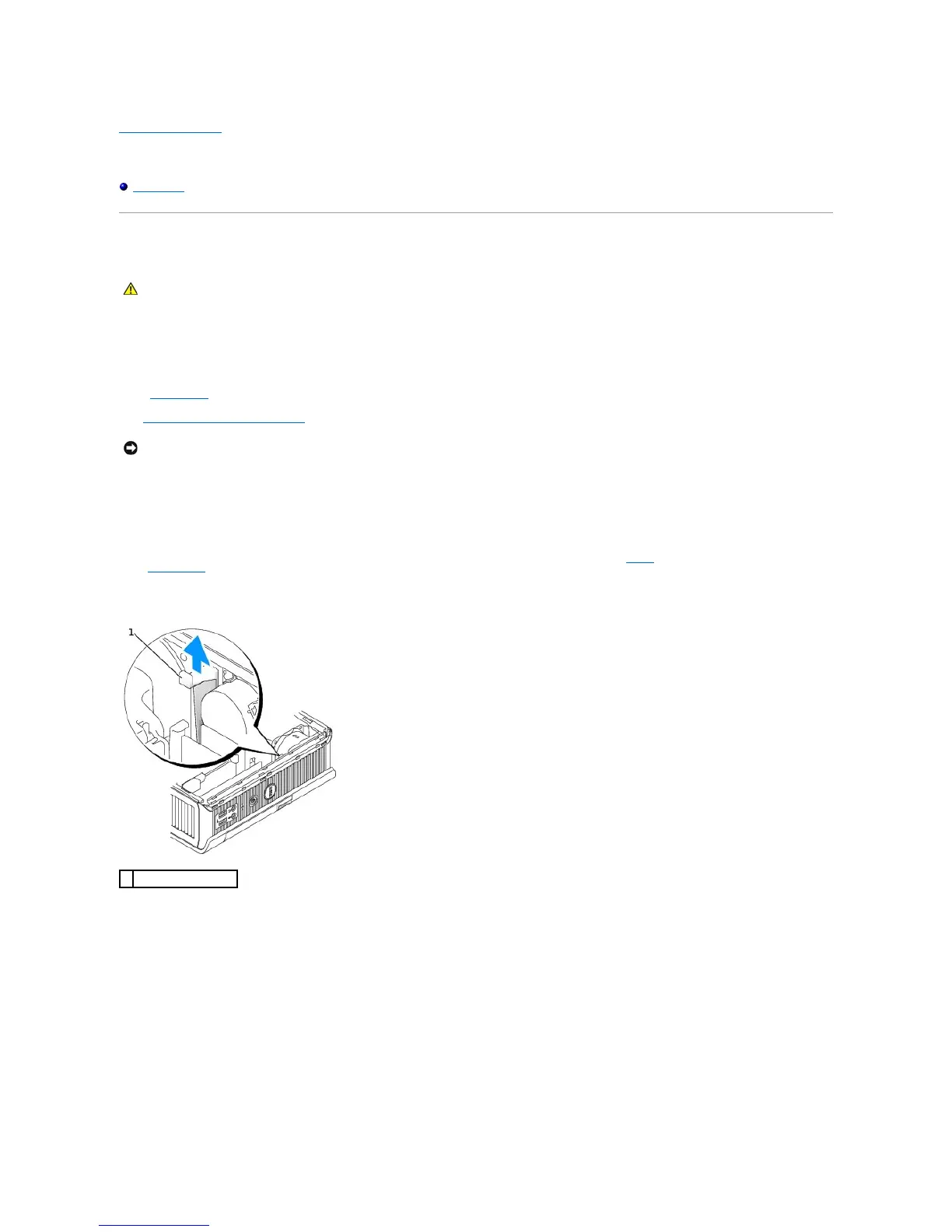
2. If the module bay contains a device that is locked, remove the cover and move the module locking switch to the unlocked position by raising the locking
switch. If a device screw is used, remove the screw.
3. Press the device latch release so that the latch release pops out.
NOTICE: To prevent damage to devices, place them in a safe, dry place when they are not installed in the computer. Avoid pressing down on them or
placing heavy objects on top of them.














 To Next Page