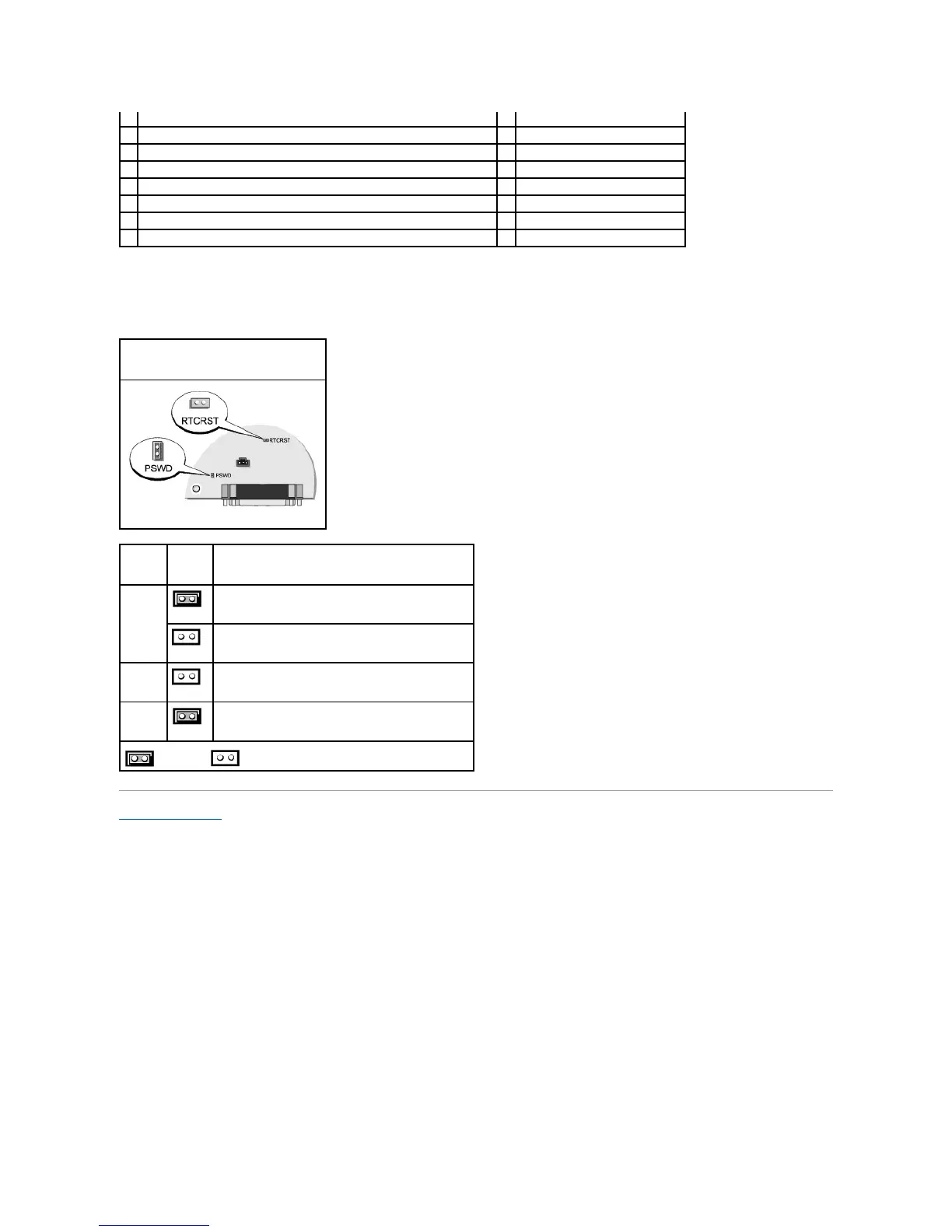
Jumper Settings
The jumper locations are shown below.
Back to Contents Page
memory module connectors (DIMM_1, DIMM_2, DIMM_3, DIMM_4)
PCI Express x1 connector (SLOT4)
serial ATA drive connectors (SATA0, SATA2, SATA1, SATA3)
front-panel connector (FNT_PANEL)
CD drive analog audio cable connector for optional analog audio cable (CD_IN)
floppy drive connector (DSKT)
CD/DVD drive connector (IDE)
standby power indicator (AUX_PWR)
RTC reset jumper (RTCRST)
system board speaker (BEEP)
intrusion switch connector (INTRUDER)
internal speaker (INT_SPKR)
Password features are enabled (default).
Password features are disabled.
Real-time clock has not been reset (default).
Resetting Real-time clock (jumpered temporarily).
jumpered unjumpered















 To Next Page