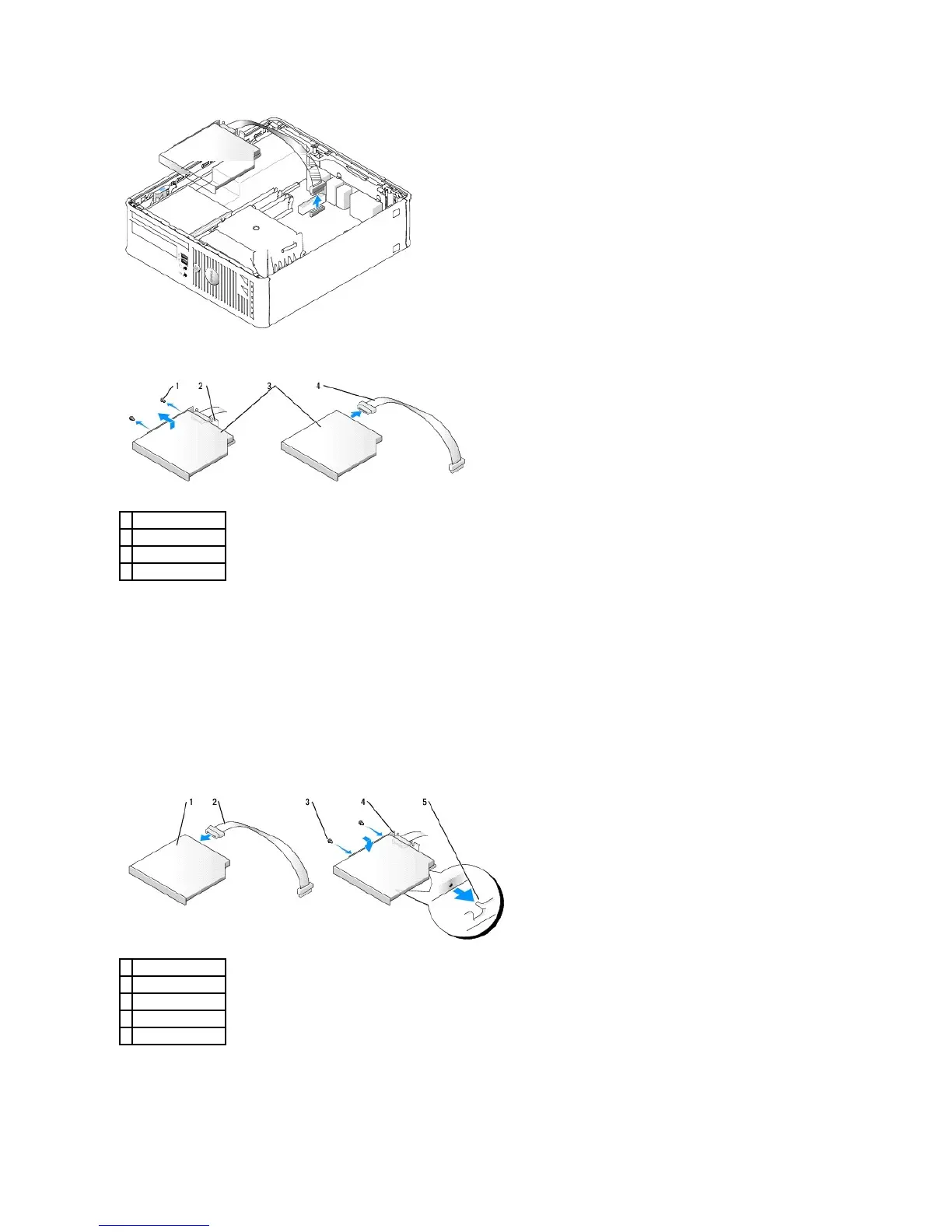
6. Remove the two screws from the side of drive and remove the drive bracket. Then disconnect the CD/DVD drive cable from the back of the drive.
Installing a CD/DVD Drive
1. Unpack the drive and prepare it for installation.
Check the documentation that accompanied the drive to verify that the drive is configured for your computer. Configure the drive for the cable select
setting.
2. Connect the CD/DVD drive cables to the drive.
3. Lower the drive into the drive bracket and align the two drive bracket tabs with the holes on the side of the drive. Then attach the two screws to the
side to secure it.
4. Gently position the drive until it clicks into place.















 To Next Page