Installing Upgrades 127
Installing a CD Drive and Reattaching Cables
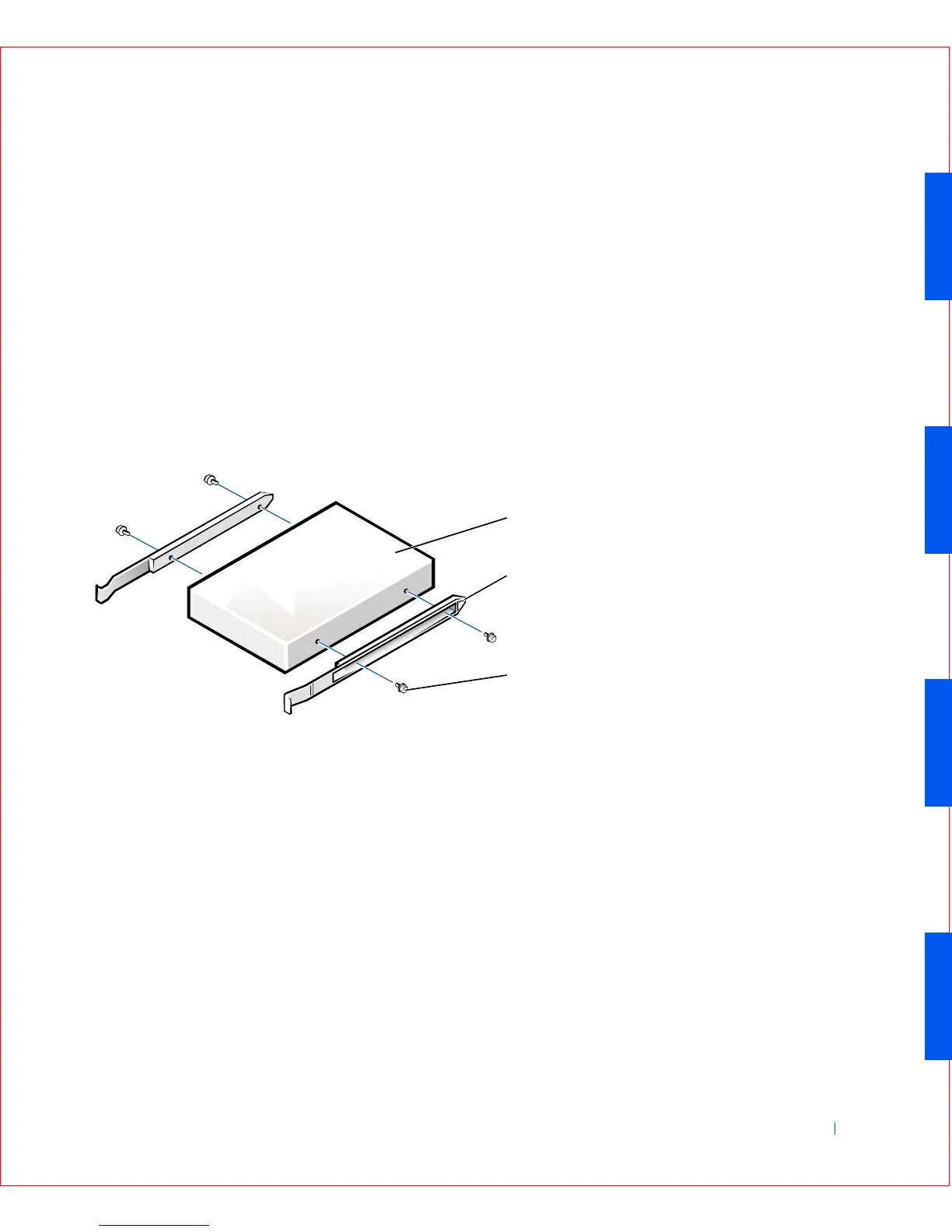
1 If you are replacing a drive that does not have the bracket rails
attached, remove the rails from the old drive by removing the two
screws that secure each rail to the drive. Attach the bracket to the new
drive by aligning the screw holes on the drive with the screw holes on
the bracket rails and tightening all four screws (two screws for each
rail).
2 If you are installing a new drive, connect it to the set of rails that are
attached to the inside of the cover.
If a set of rails is not attached to the inside of the cover, contact Dell.
CD Drive Bracket Rails
3
Gently slide the drive into place until the tabs securely click into
position.
4 On the small form-factor computer, connect the interposer board to
the CD drive.
If your computer came with a CD drive, use the spare connector on
the existing interface cable. Otherwise, use the IDE interface cable
provided in the drive kit.
1 Drive
2 Bracket rails (2)
3 Screws (4)
1
3
2









 To Next Page