62 Installing Upgrades
www.dell.com | support.dell.com
Computer Cover
CAUTION: Before you open the computer cover, see "Safety
Instructions."
NOTE: On the small
form-factor and small
desktop computers,
remove the stand before
you open the computer
cover.
Opening the Computer Cover
1 Turn off your computer and devices, and observe the caution for your
personal safety and protection of your equipment described in "Safety
Instructions."
2 If you have installed a padlock through the padlock ring on the back
panel, remove the padlock.
NOTICE: Do not open the cover if the computer is on the edge of a desk or
table. Doing so may cause the computer to tip over and fall. Make sure that the
computer is situated so that there is at least 12 inches of desk- or table-top for
the cover to rest on.
3
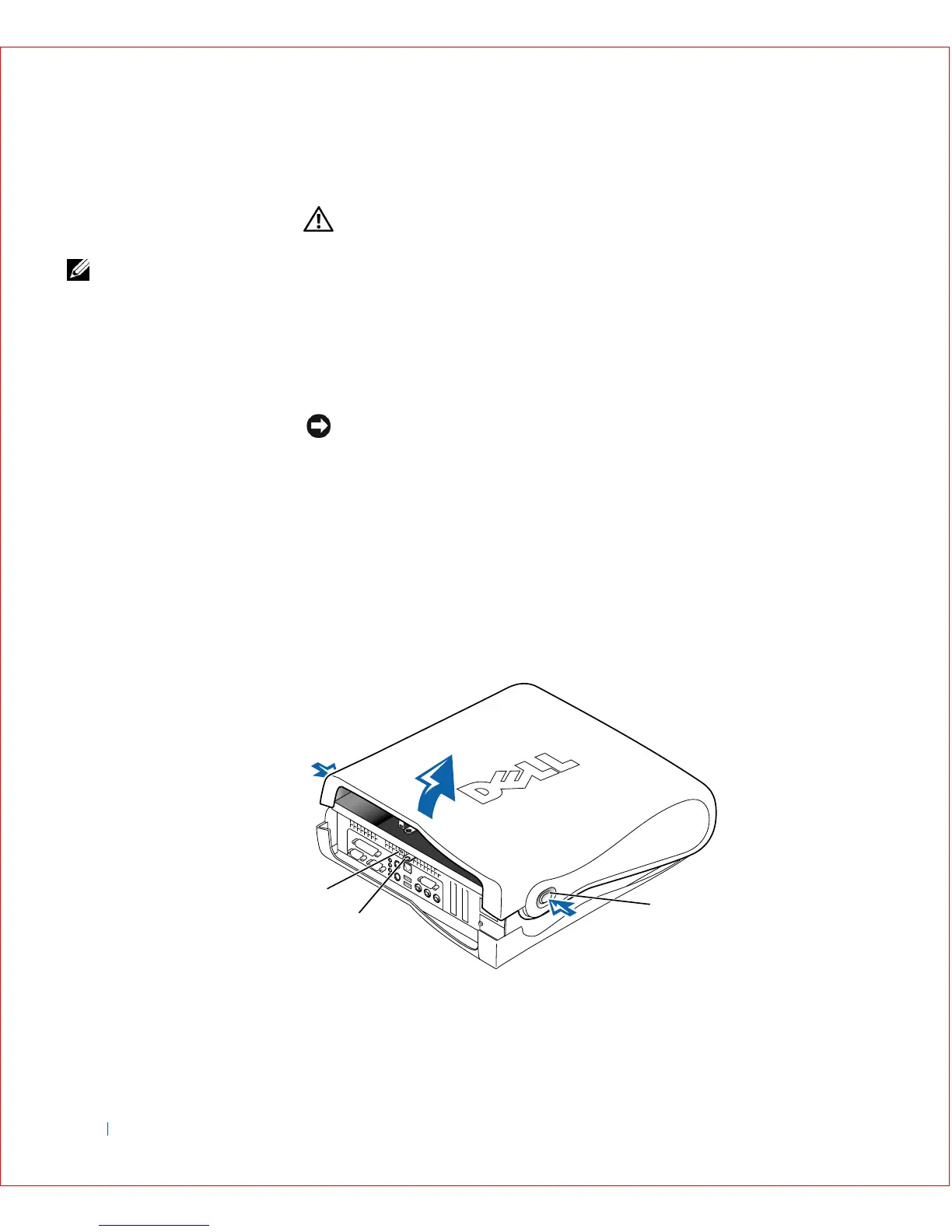
Press the two release buttons until the cover is free to swing up. On the
small mini-tower computer, press the upper part, not the center, of the
buttons to release the cover.
4 Raise the back of the cover, and pivot it toward the front of the
computer.
Small Form-Factor Computer Cover
3
1
2









 To Next Page