50 Advanced Features
www.dell.com | support.dell.com
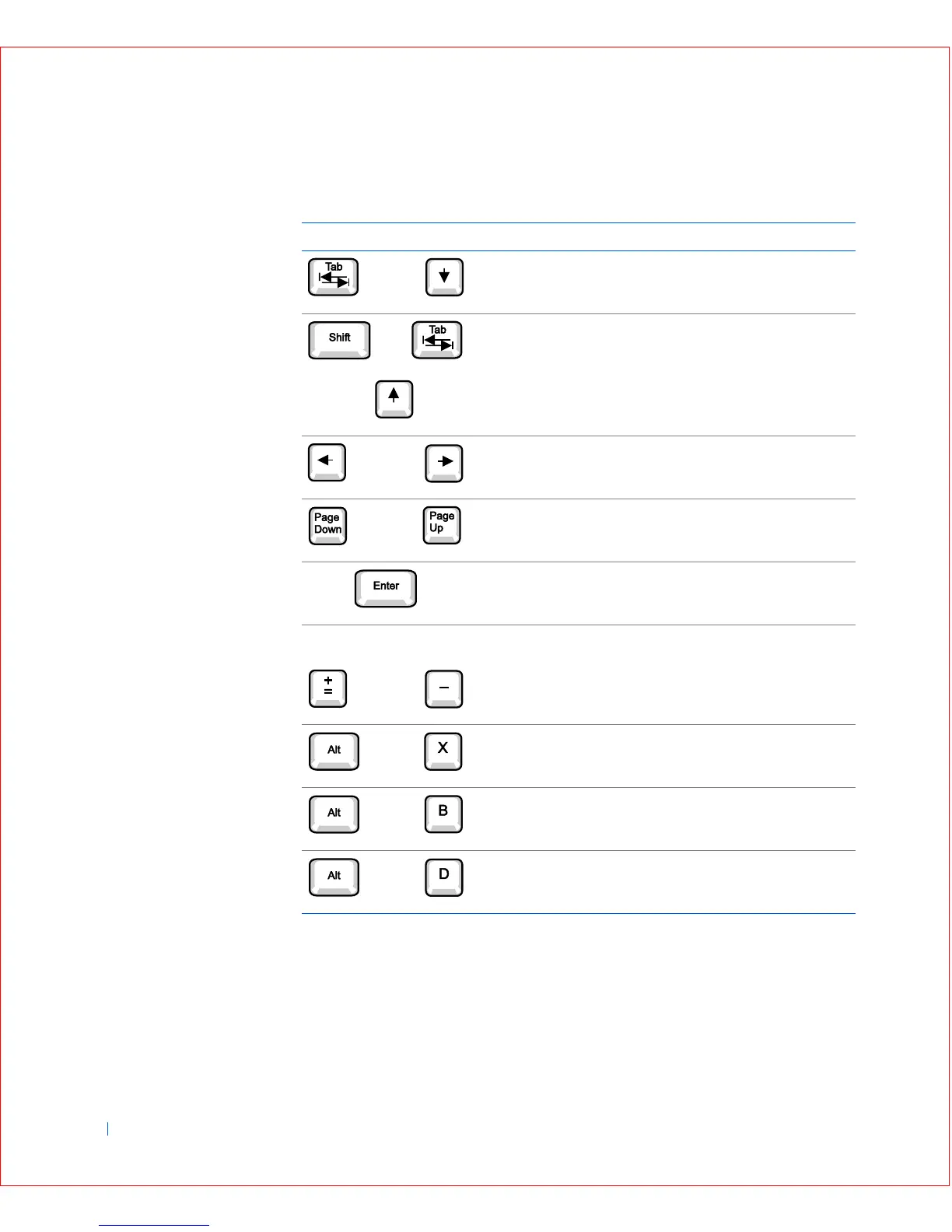
System Setup Navigation Keys
Changing the Boot Sequence
The boot sequence allows you to specify the order of the devices from which
the computer will attempt to boot.
Keys Action
Moves to the next field.
Moves to the previous field.
Cycles through the options in a field. In many fields, you
can also type the appropriate value.
Scrolls through help information.
Enters the selected field's pop-up options menu.
spacebar or
In the selected field's pop-up options menu, cycles
through the options in a field.
Exits system setup without rebooting the system and
returns the system to the boot routine.
Exits system setup and reboots the system,
implementing any changes you have made.
Resets the selected option to its default setting.
or
or
or
or
or









 To Next Page