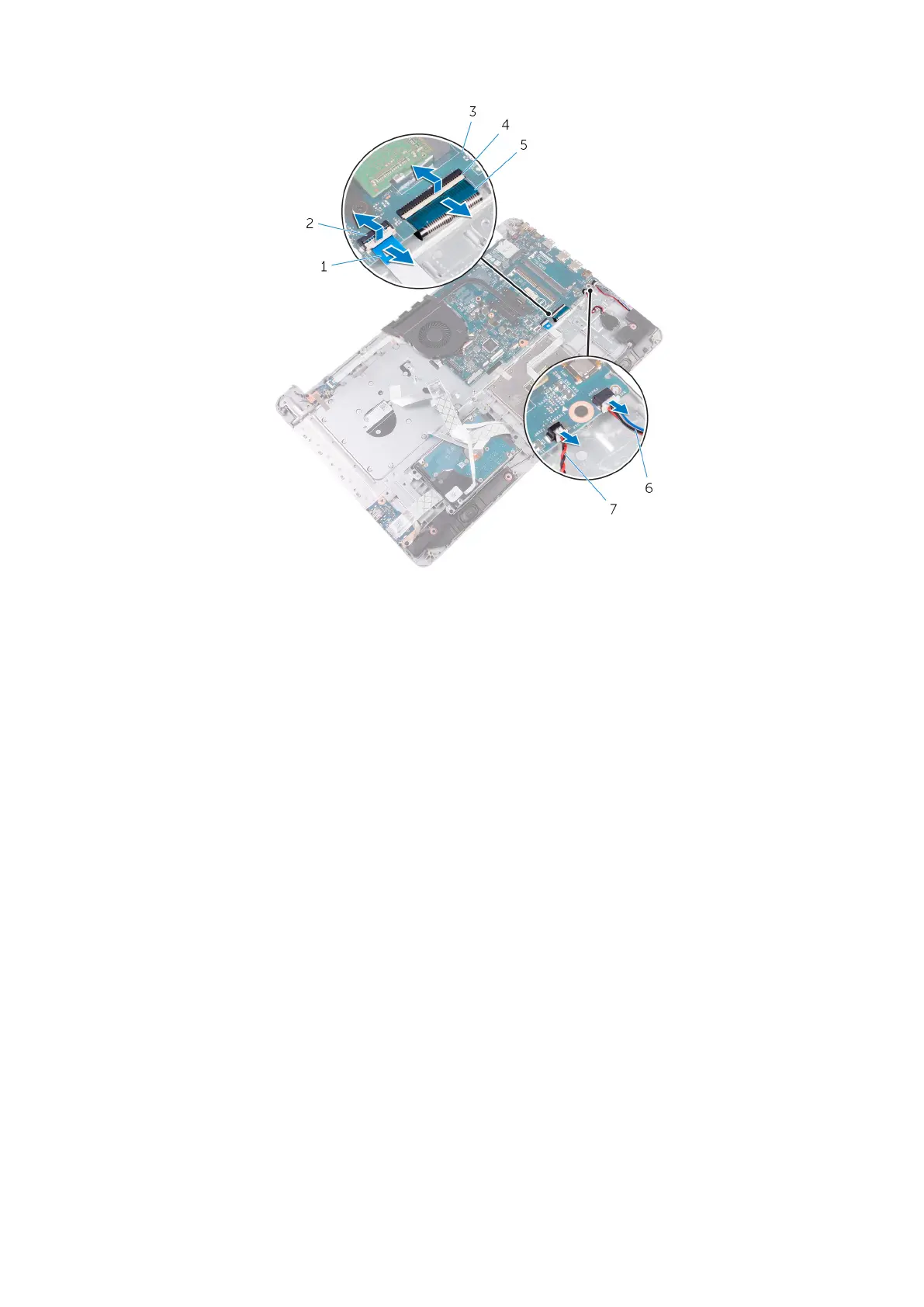
1. touchpad cable 2. latch
3. system board 4. latch
5. keyboard cable 6. speaker cable
7. coin-cell battery cable
6. Remove the screws that secure the system board assembly to the palm rest and keyboard assembly.
7. Carefully lift the system board assembly from the inner edge to release the system board assembly from the palm rest and
keyboard assembly.
8. Turn the system board assembly over.
Removing the system-board assembly
53



 To Next Page