32 │ About your monitor
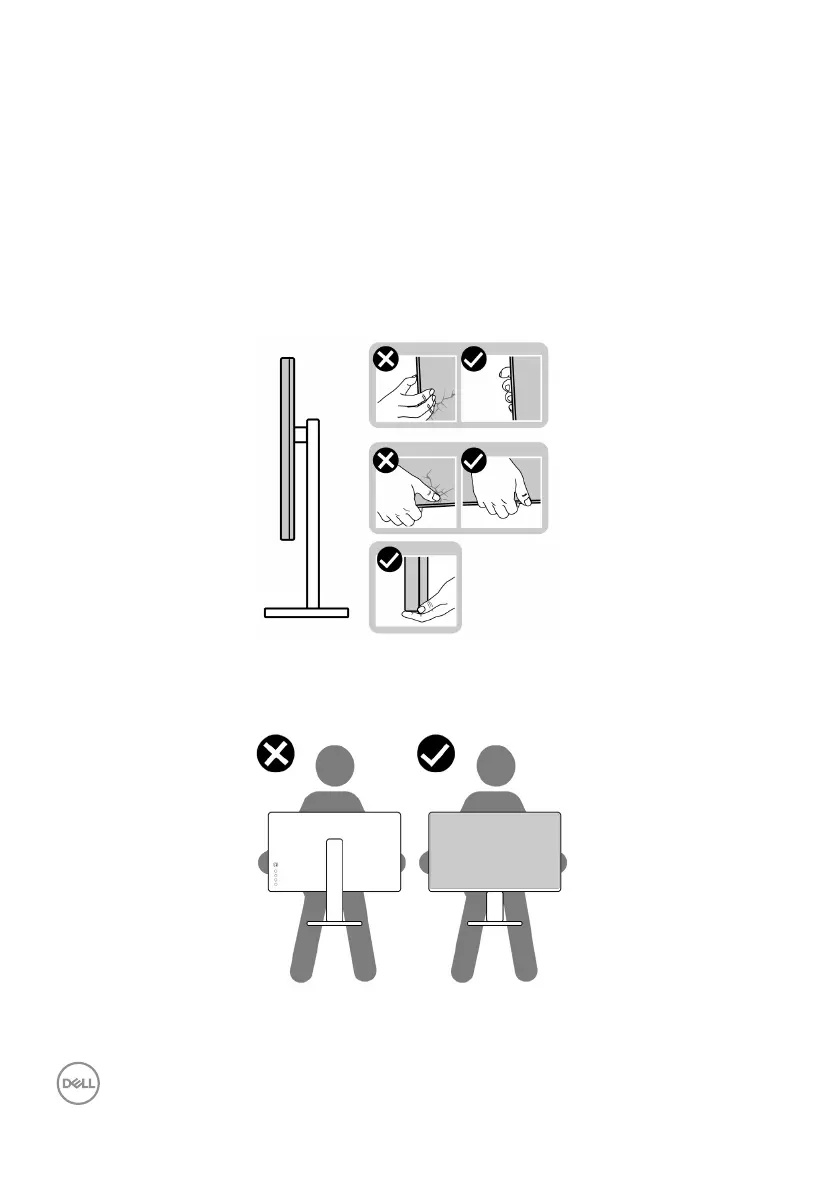
Handling and moving your display
To ensure that the monitor is handled safely when lifting or moving it, follow these
guidelines:
• Before moving or lifting the monitor, tu
rn off your computer and the monitor.
• Disconnect all cables from the monitor.
• Place the monitor in the original box
with the original packing materials.
• Hold the bottom edge and the side of the
monitor firmly without applying
excessive pressure when lifting or moving the monitor.
• When lifting or moving the monitor, ensure the screen is facing away from you
and do not press on the display area to avoid any scratches or damage.
• When transporting the monitor, avoid any sudden shock or vibration to it.



 To Next Page