80 │ Operating the monitor
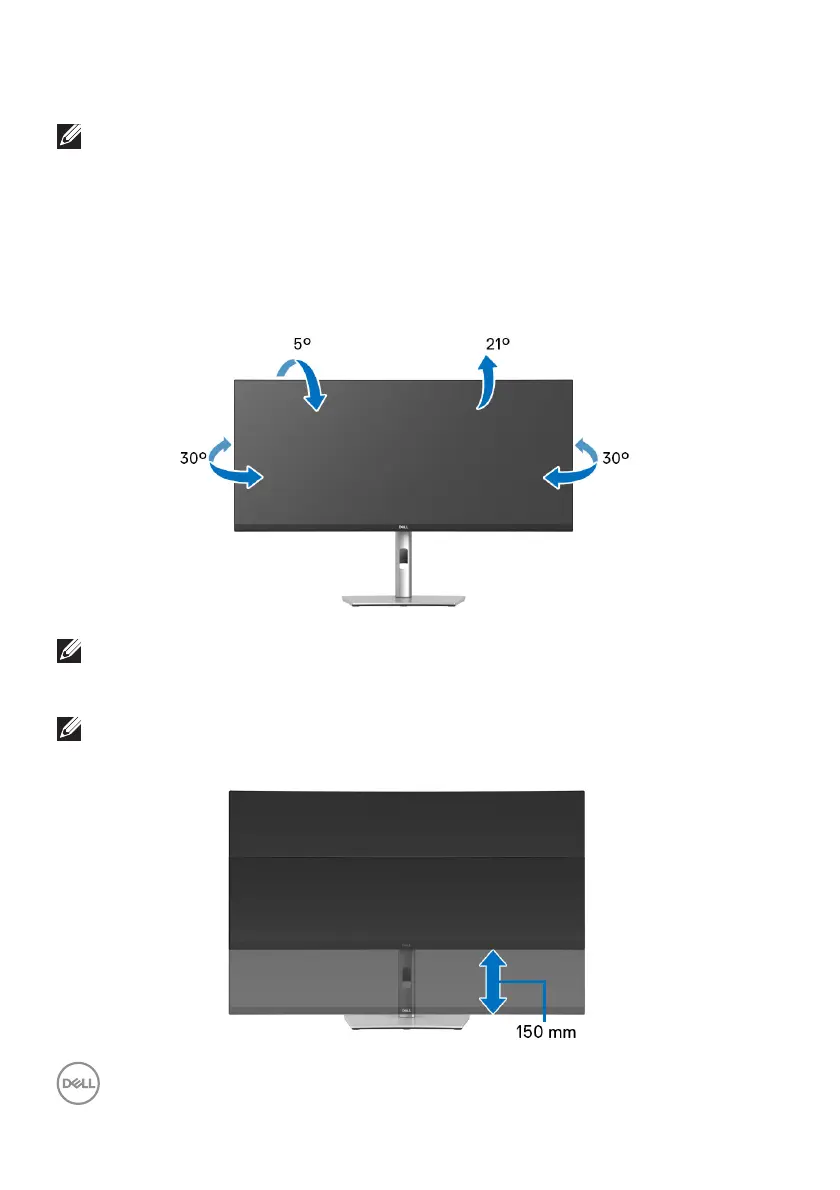
Using the tilt, swivel, vertical extension, and slant adjust
NOTE: The following instructions are applicable only for attaching the
stand that was shipped with your monitor. If you are attaching a stand
that you purchased from any other source, follow the setup
instructions that were included with the stand.
Til t, sw ive l
With the stand attached to the monitor, you can tilt
and swivel the monitor for the
most comfortable viewing angle.
NOTE: The stand is not installed at the factory when shipped.
Vertical extension
NOTE: The stand extends vertically up to 150 mm. The figure below
illustrates how to extend the stand vertically.



 To Next Page