78 │ Operating the monitor
Setting the Auto KVM
When KVM is set up with two computers, if one computer is disconnected, the
display shall automatically switch to the other computer. If the other computer is in
Modern Standby (S0ix) mode, any input from keyboard and mouse attached to the
monitor shall wake that computer up. If the other computer is in Sleep (S3) mode,
user would need to use the keyboard and mouse attached to that computer to
wake it up.
You can follow below instruction to se
t up Auto KVM for your monitor:
1. En
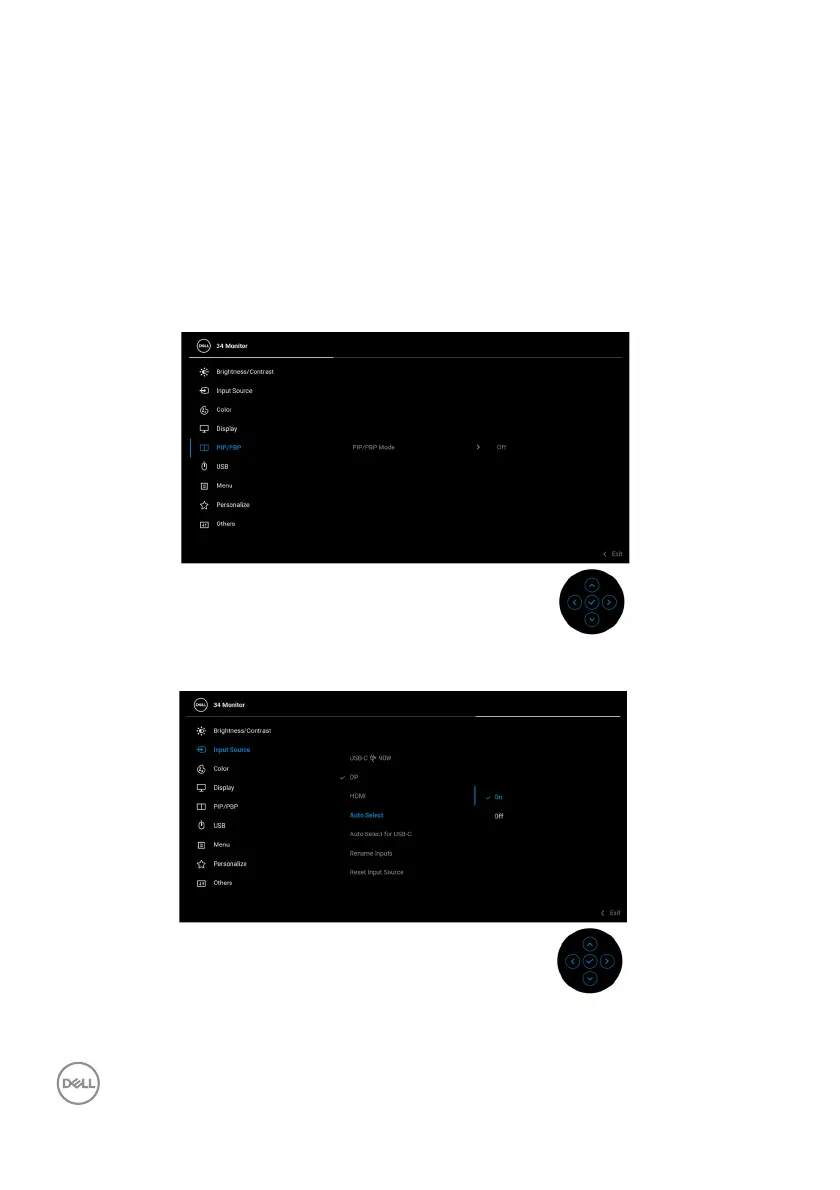
sure that PIP/PBP Mode is Off.
2. Ensure that Auto Select is On and Auto Select for USB-C is Yes.



 To Next Page