Setting up the monitor │ 39
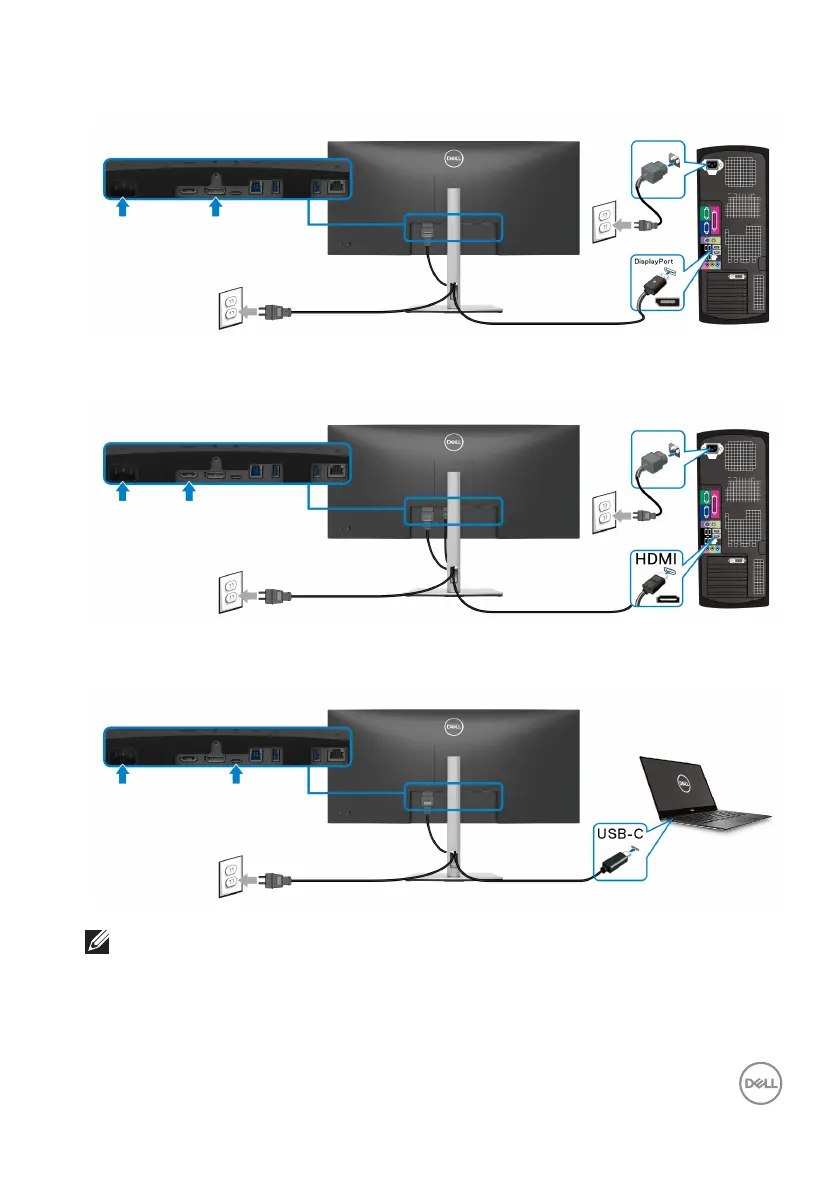
Connecting a DisplayPort cable
Connecting an HDMI cable
Connecting a USB Type-C cable
NOTE: Use the USB Type-C cable shipped with monitor only.
• This port supports DisplayPort Alternate Mode (DP1.2 standard only).
• The USB Type-C power delivery compliant port (PD Version 3.0) delivers up
to
90W of power.



 To Next Page