60 │ Operating the monitor
Preset Modes • Cool: Presents colors at higher color
temperatures. The screen appears cooler with a
blue tint.
• Cust
om Color: Allows you to manually adjust the
color settings.
Use the joystick to adjust the three colors (R, G,
B
) values and create your own preset color mode.
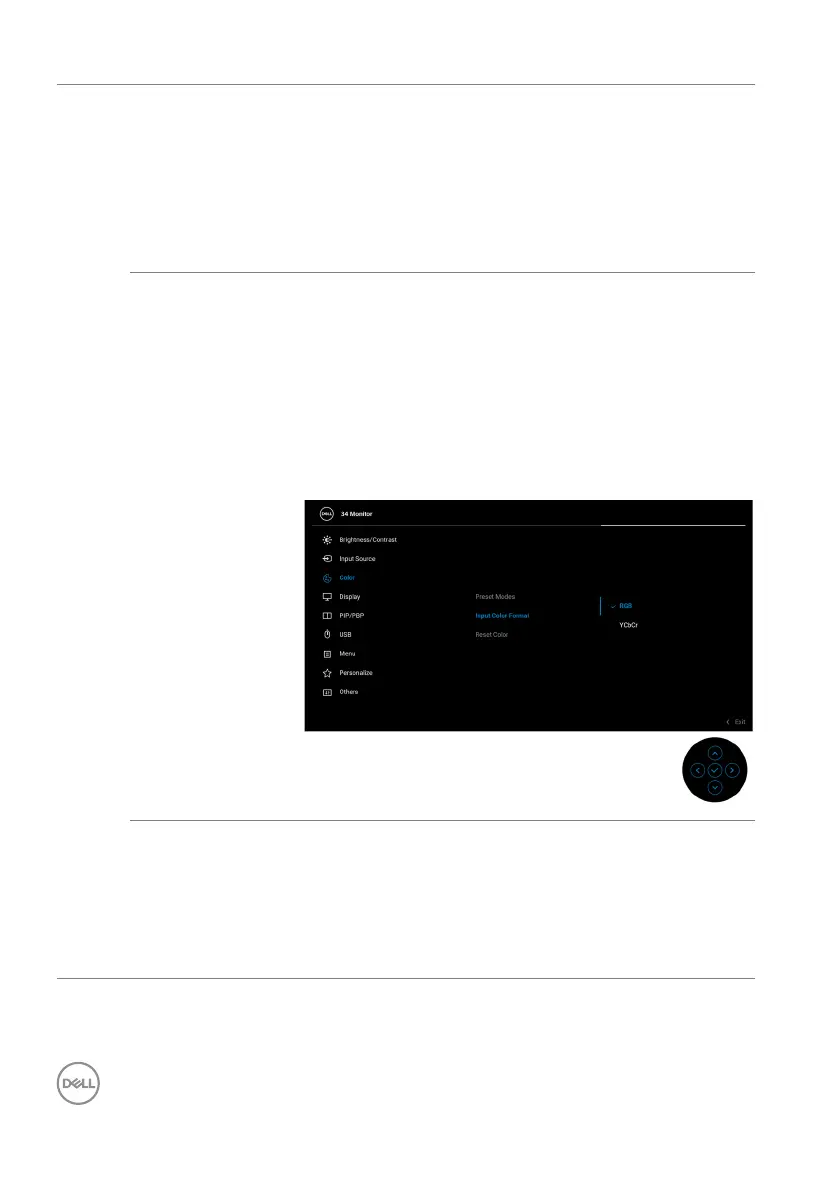
Input Color
Fo
rmat
Allows you to select a color process that matches
the video source. Only make changes when there is
an abnormal color display.
• RGB: Moni
tor process video input in RGB coded
color format.
• YC
bCr: Monitor process video input in YCbCr
coded color format.
Press the joystick to confirm the selection.
Hue This feature can shift the color of the video image to
green or purple. This is used to adjust the desired
flesh tone color. Move the joystick to adjust the hue
level from '0' to '100'.
NOTE: Hue ad
justment is available only when you
select Movie or Game preset mode.



 To Next Page