Operating the monitor │ 67
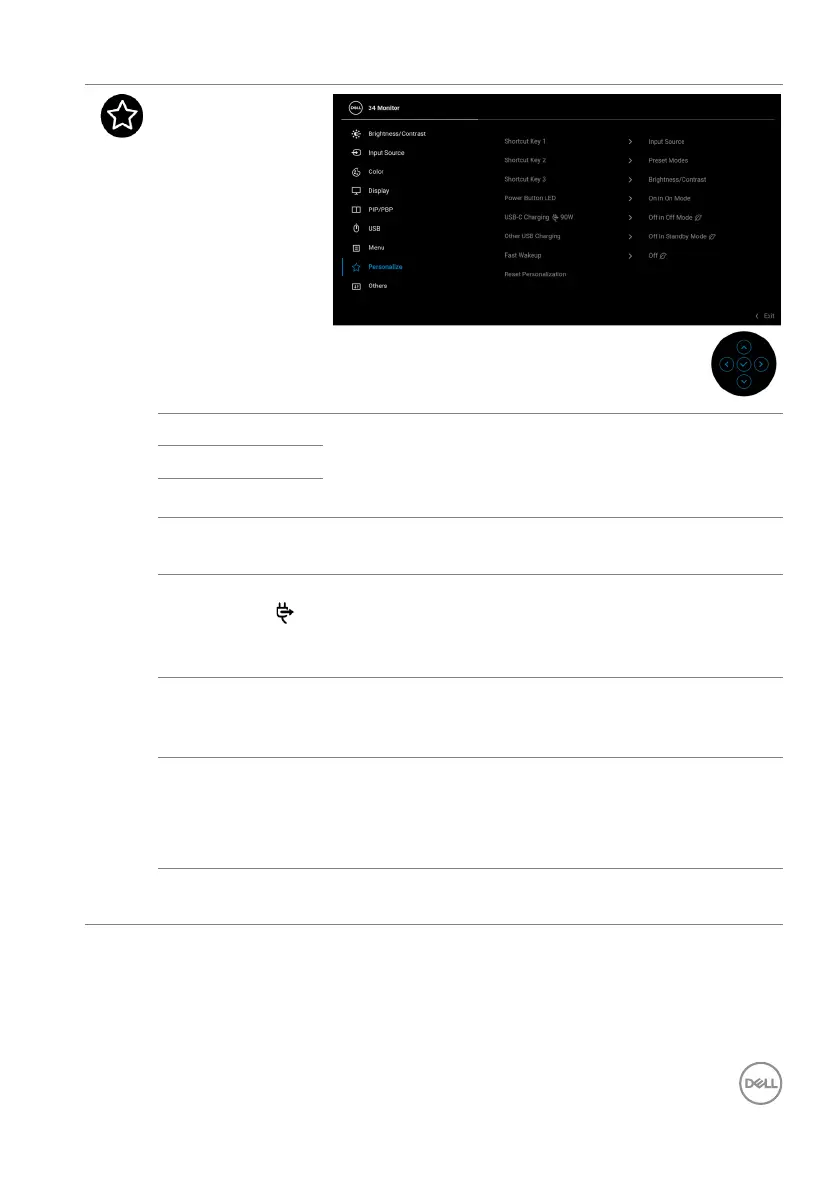
Personalize
Shortcut Key 1 Allows you to choose a feature from Preset Modes,
Brightness/Contrast, Input Source, Aspect
Ratio, PIP/PBP Mode, USB Switch, Video Swap,
or Display Info and set it as a shortcut key.
Shortcut Key 2
Shortcut Key 3
Power Button
LED
Allows you to set the power LED indicator on or off
t
o save energy.
USB-C
Ch
arging
90W
The default setting is O
ff in Off Mode. Selecting
On in Off Mode may automatically charge your
notebook or mobile devices through the USB Type-C
cable when the monitor is in off mode.
Other USB
Char
ging
Allows you to enable or disable USB Type-A
(Downstream Ports) charging function during
monitor standby mode.
Fast Wakeup The default setting is Of
f. Selecting On may prevent
the monitor from going into Standby mode.
Pressing the joystick may also wake up the monitor
a
fter it goes into Standby mode.
Reset
Pe
rsonalization
Resets all settings under the Personalize menu to
the factory preset values.



 To Next Page