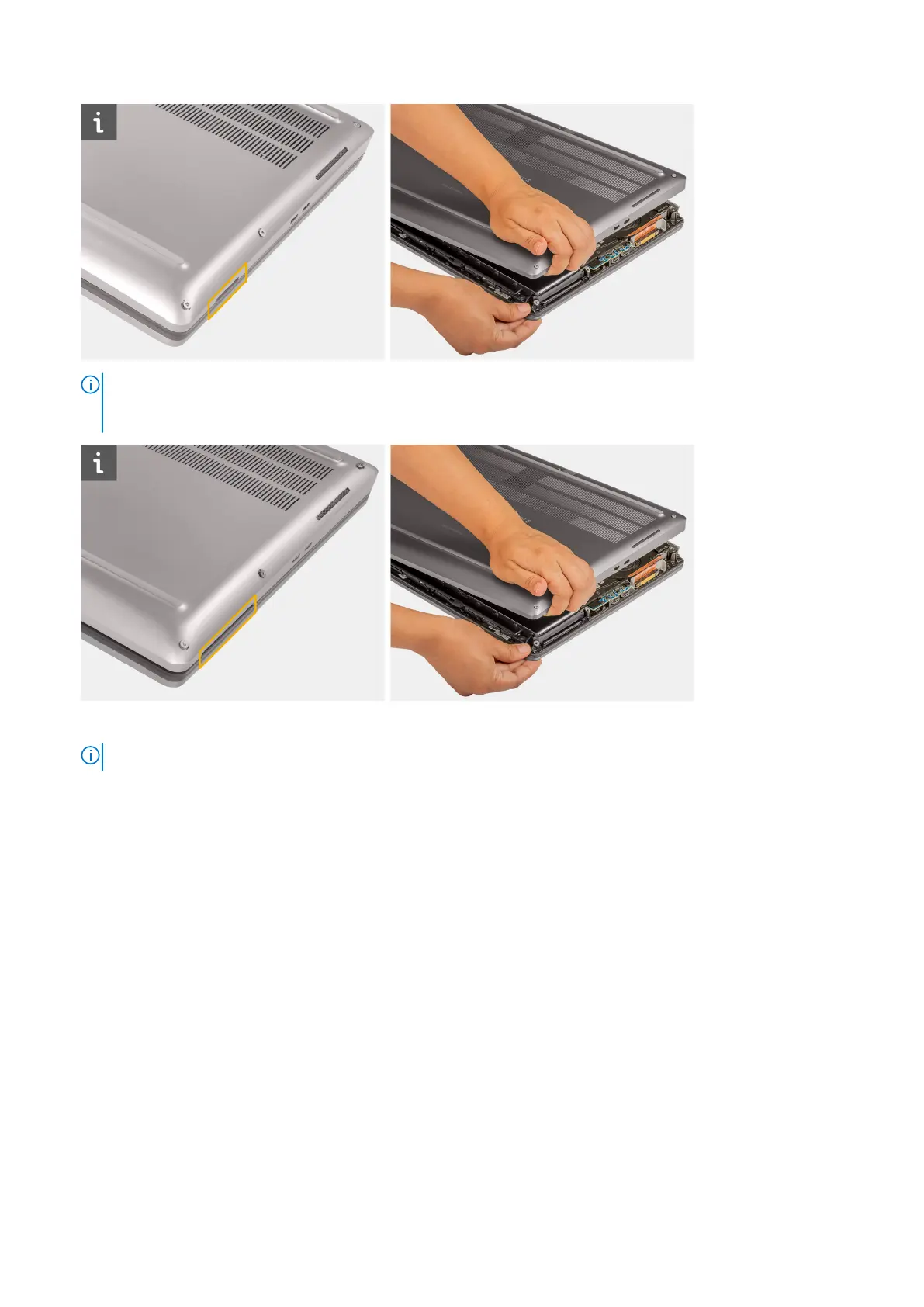
NOTE: For models shipped with smart-card reader, pry open the base cover from the smart-card reader slot at the
bottom right side of the base cover. Use your fingers to pry open the base cover as the use of plastic scribe or any
other sharp objects may damage the base cover.
3. Lift the base cover starting from the bottom edge and push it towards the rear to remove it from the computer.
NOTE: Do not lift the base cover directly upwards to remove, as this may damage the rear edge of the cover.
4. After removing the base cover, if any of the thermal pads for the M.2 SSD, WWAN card, and/or inner frame are detached,
adhere them to their correct slot on the computer.
Removing and installing components
23



 To Next Page