21. Remove the display assembly.
About this task
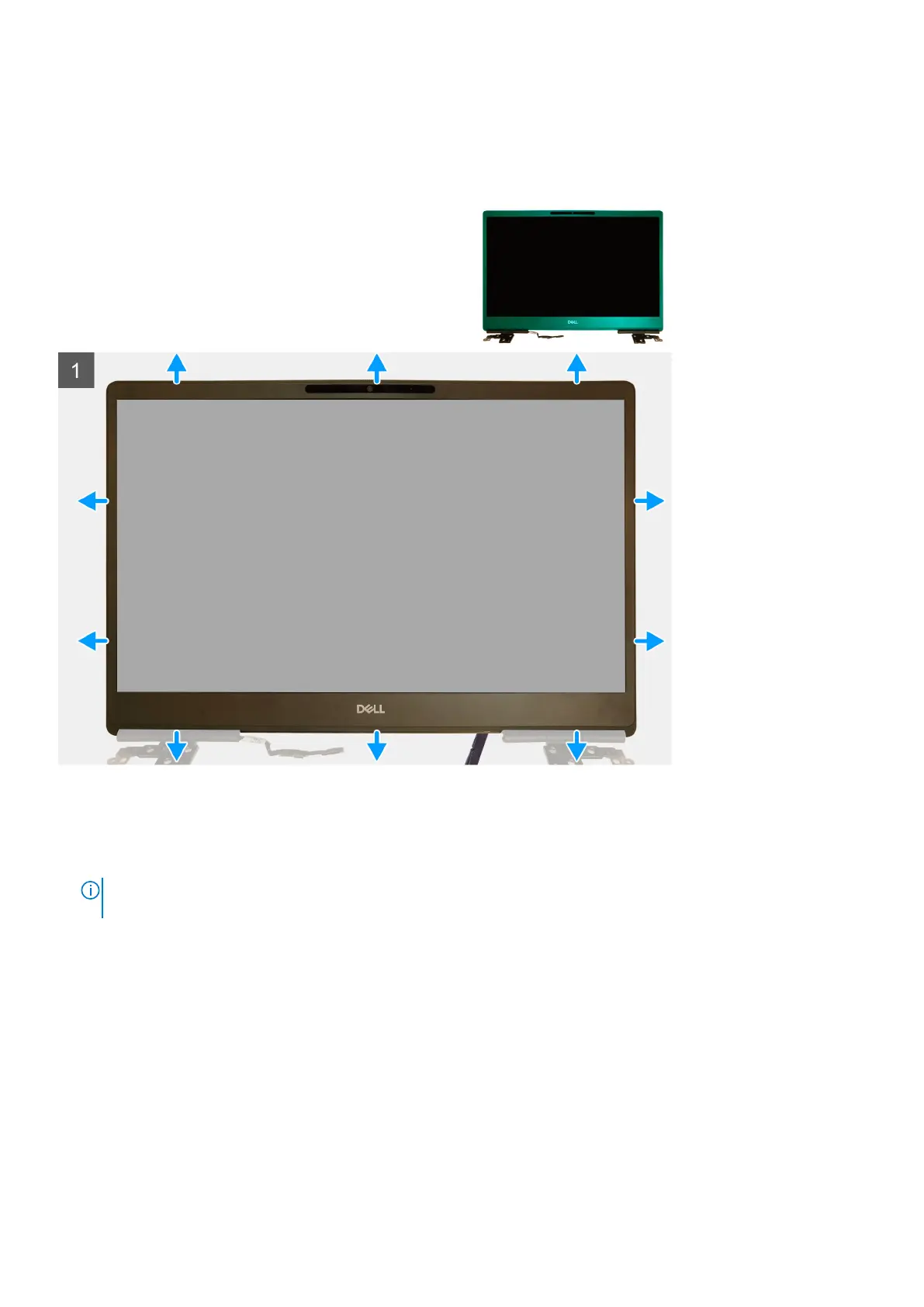
The figure indicates the location of the display bezel and provides a visual representation of the removal procedure.
Steps
1. Using a flat head tool or a plastic scribe, pry open the display bezel from the two recess points on the bottom edge of the
display bezel.
2. Working your way from the bottom edge, pry around the sides and top edge of the display bezel.
NOTE:
While prying the display bezel, ensure to pry along the outside edge of the display bezel using your hands-using a
screw driver or other sharp objects may damage the display cover.
3. Remove the display bezel from the display assembly.
Installing the display bezel (non-touch)
Prerequisites
If you are replacing a component, remove the existing component before performing the installation procedure.
About this task
The figure indicates the display bezel and provides a visual representation of the installation procedure.
96
Removing and installing components



 To Next Page