Steps
1. Connect the battery cable to the connector on the system board.
2. Slide the base cover into its slot until it clicks into place.
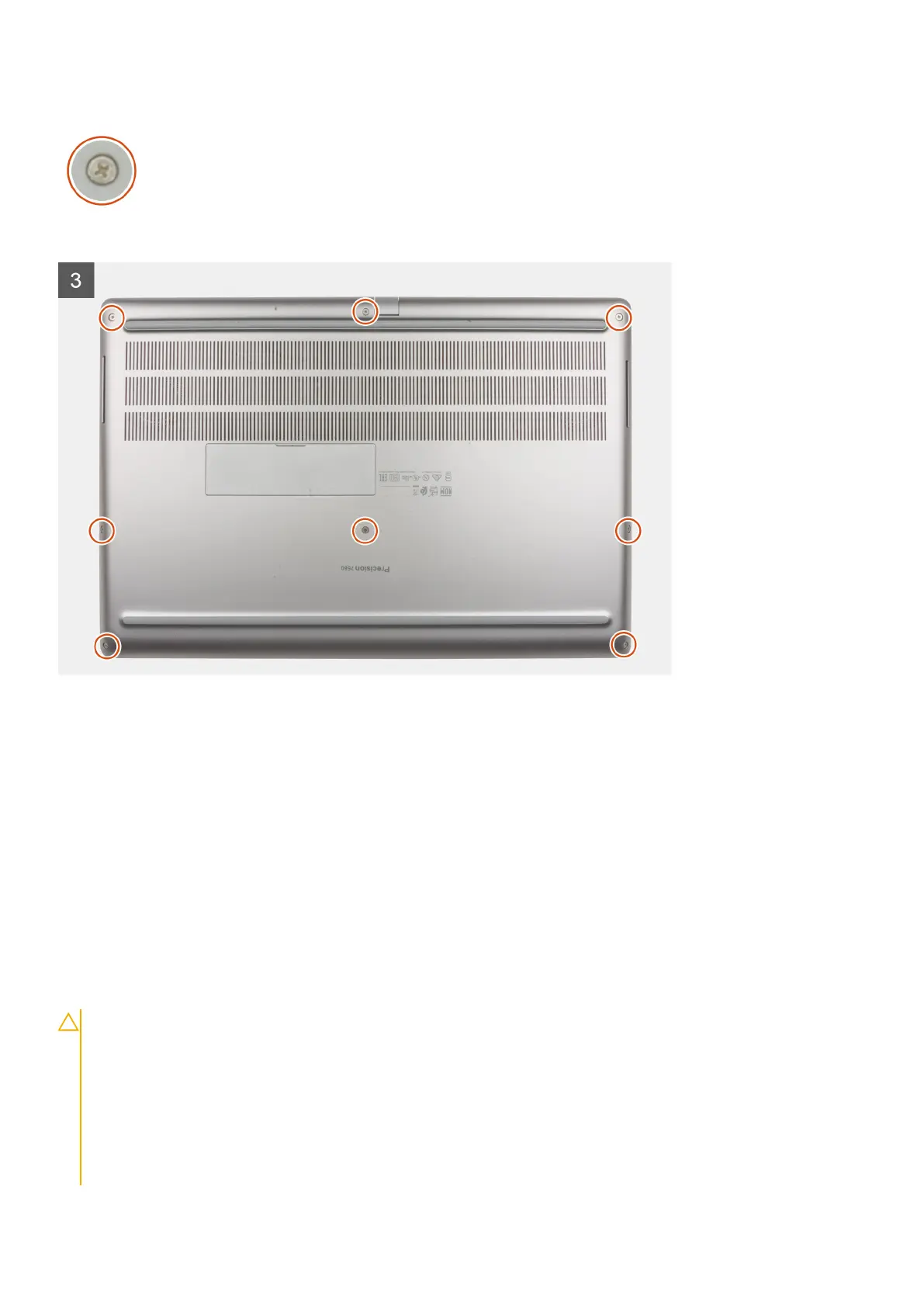
3. Tighten the eight captive screws to secure the base cover to the computer.
Next steps
1. Install the SD card.
2. Follow the procedure in after working inside your computer.
Battery
Lithium-ion battery precautions
CAUTION:
● Exercise caution when handling Lithium-ion batteries.
● Discharge the battery as much as possible before removing it from the system. This can be done by
disconnecting the AC adapter from the system to allow the battery to drain.
● Do not crush, drop, mutilate, or penetrate the battery with foreign objects.
● Do not expose the battery to high temperatures, or disassemble battery packs and cells.
● Do not apply pressure to the surface of the battery.
● Do not bend the battery.
26 Removing and installing components



 To Next Page