Steps
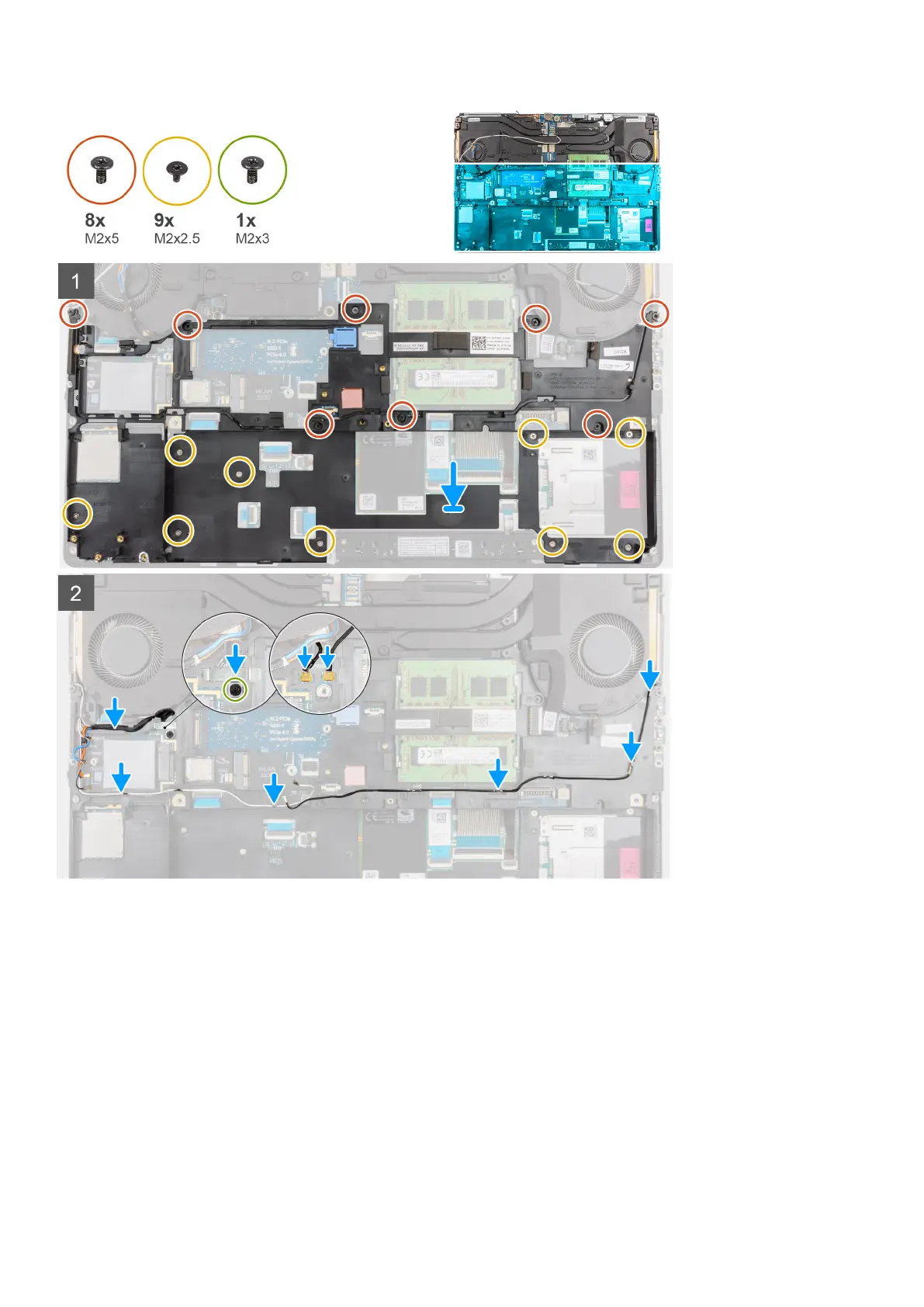
1. Align and place the inner frame in the computer chassis.
2. Replace the eight (M2x5) and the nine (M2x2.5) screws to secure the inner frame in place.
3. Route the WLAN and WWAN antenna cables through the routing guide.
4. For the computers shipped with WWAN card:
a. Connect the two Darwin antenna cables to the connector on the system board.
b. Align and place the Darwin bracket to secure the Darwin antenna cables to the system board.
c. Replace the (M2x3) screw to secure the Darwin bracket in place.
Next steps
1. Install the WWAN card.
2. Install the WLAN card.
3. Install the primary M.2 SSD.
Removing and installing components
51



 To Next Page