Steps
1.
NOTE:
Before installing the display assembly, ensure that the display hinges are opened to a 140-degree angle against
the display assembly, to fit the display assembly to the palmrest.
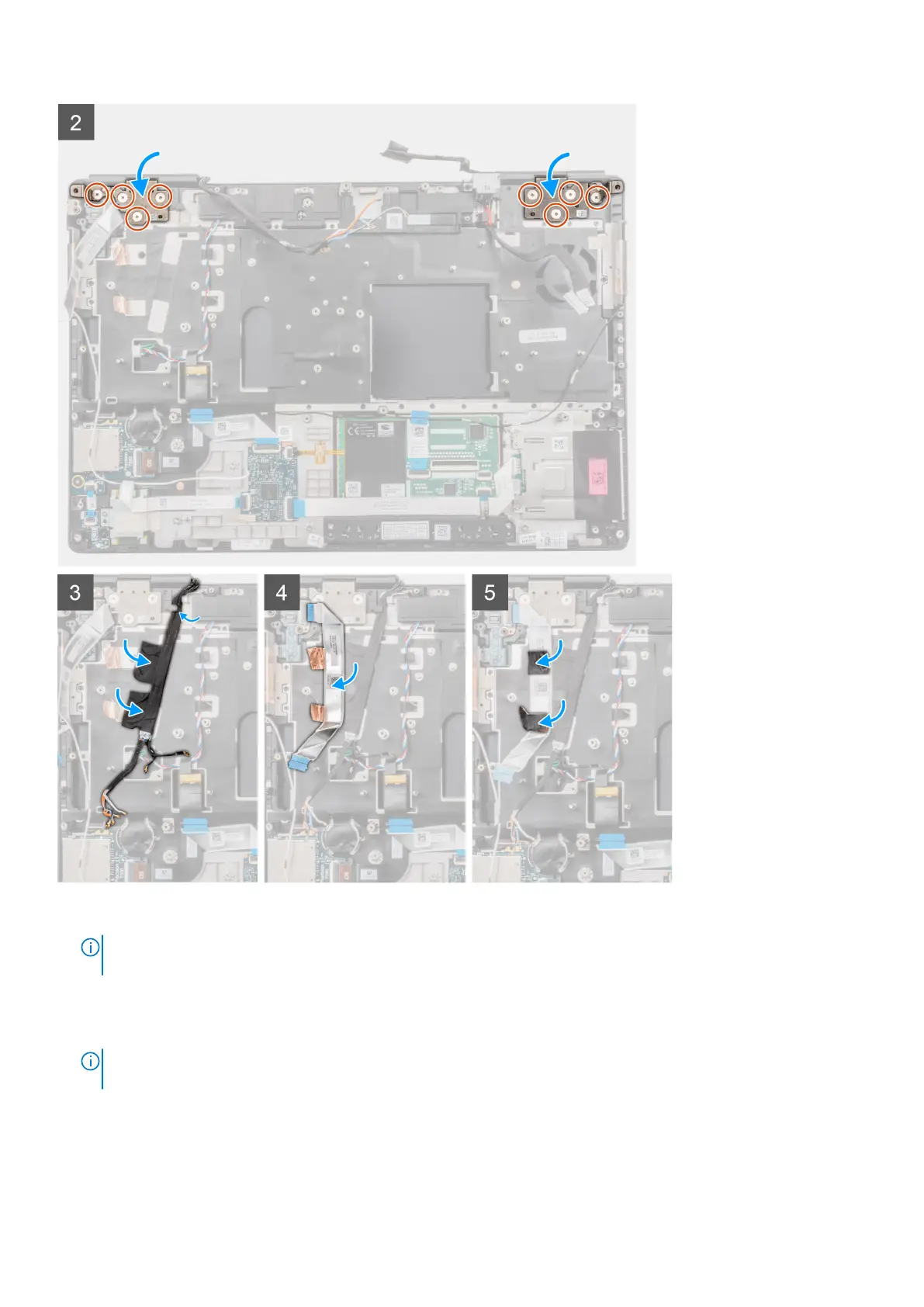
Align the screw holes on the hinges on the display assembly to the screw holes on the palmrest.
2. Replace the eight (M2.5x2.5) screws to secure the hinges to the palmrest.
3. Adhere the WWAN cables and Darwin cables to the palmrest.
NOTE:
For computers shipped with IR camera configuration, connect the display cable and IR camera cable. Carefully
route the cables between the hinges and the inside of the middle cap.
4. Adhere and route the power button board FFC in place.
Next steps
1. Install the power-adapter port.
92
Removing and installing components



 To Next Page