102 Installing System Components
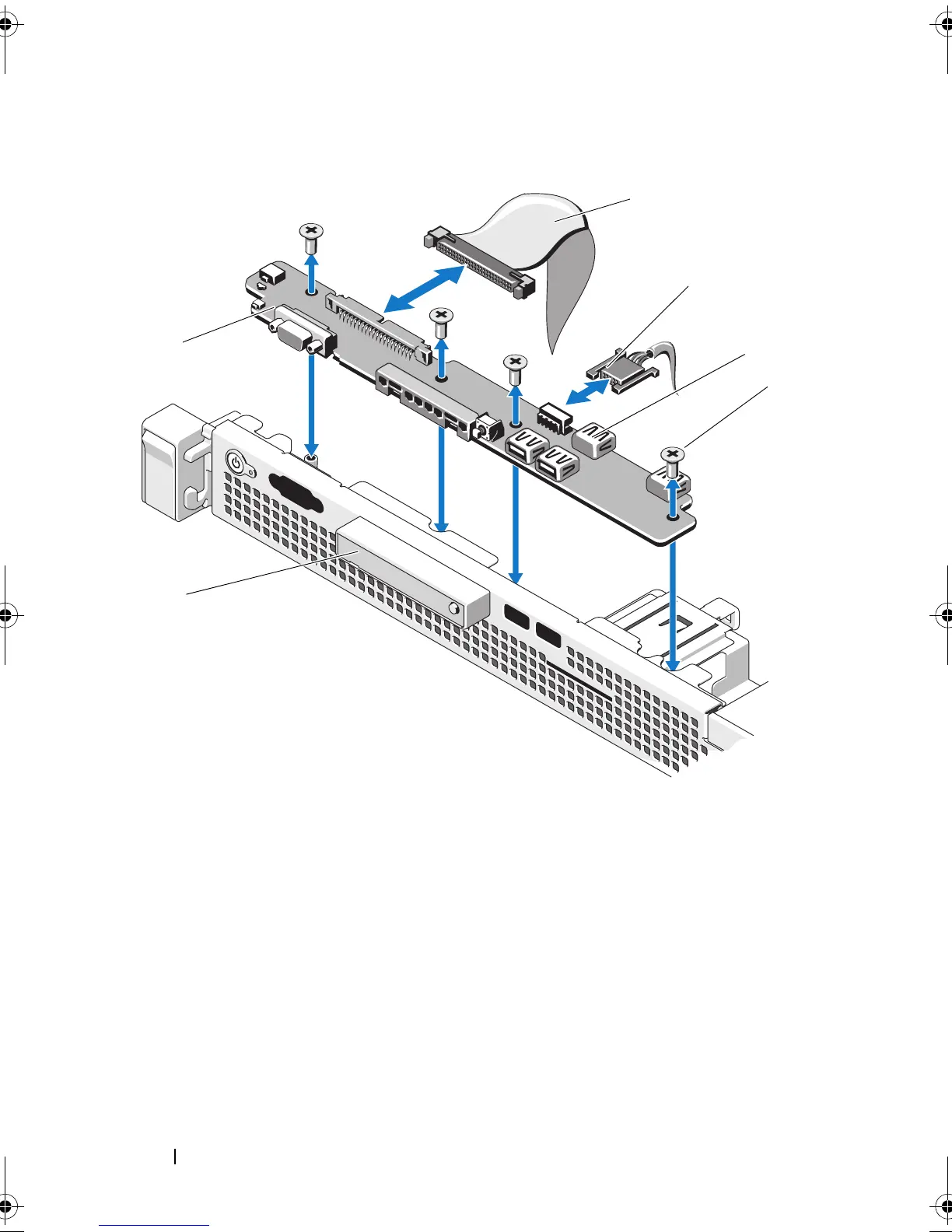
Figure 3-19. Control Panel Removal
1 control panel cable 2 USB connector cable
3 USB connectors (4) 4 screws (4)
5 LED display module 6 control panel board
1
2
6
5
3
4
book.book Page 102 Wednesday, August 12, 2009 4:51 PM










 To Next Page