Installing System Components 87
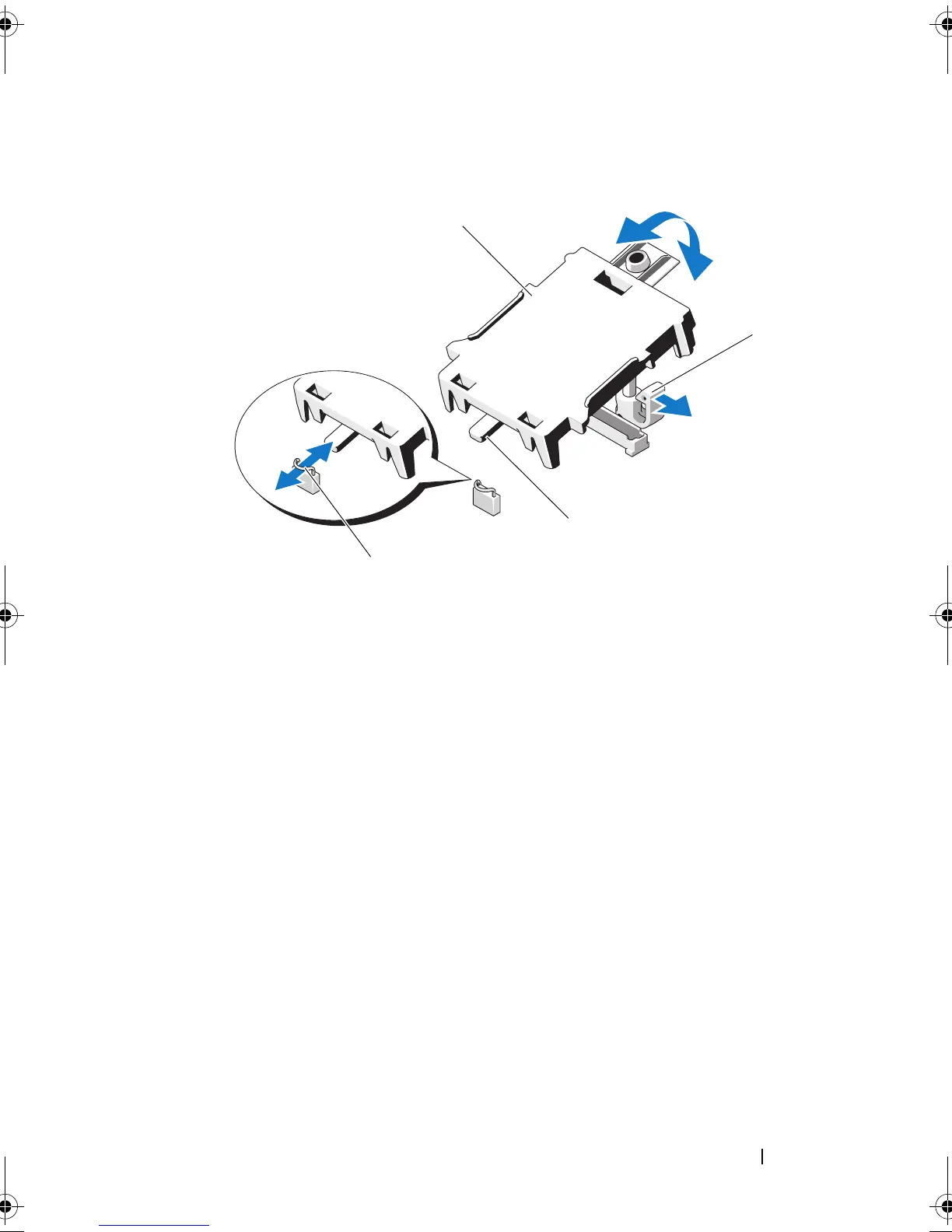
Figure 3-13. Installing or Removing an iDRAC6 Express Card
7
If applicable, reinstall the expansion card. See "Installing an Expansion
Card" on page 72.
8
Close the system. See "Closing the System" on page 63.
9
Reconnect the system to its electrical outlet and turn the system on,
including any attached peripherals.
1 iDRAC6 Express card 2 plastic standoff tab
3 notch 4 clip
1
2
3
4
book.book Page 87 Wednesday, August 12, 2009 4:51 PM










 To Next Page