Steps
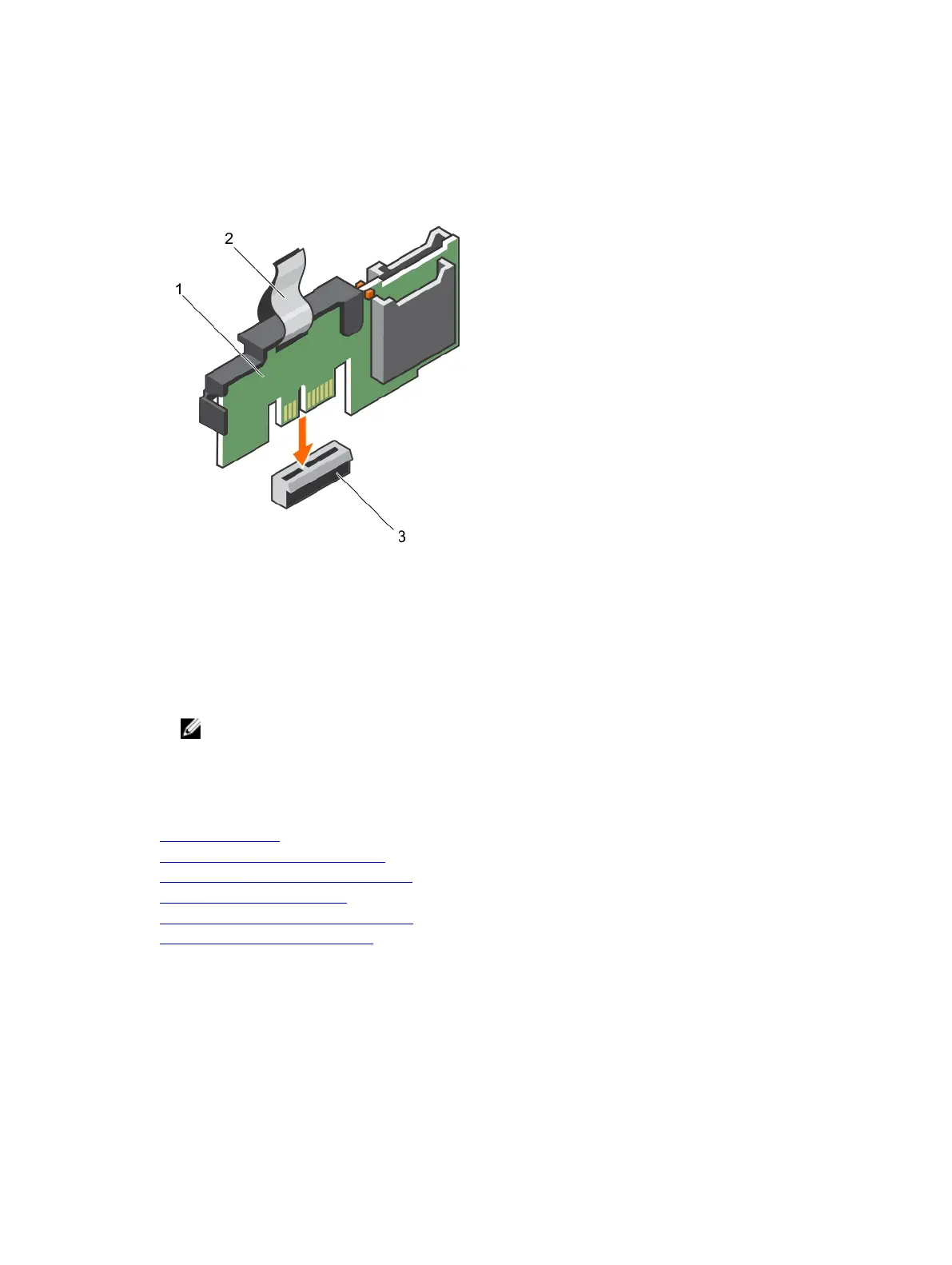
1. Locate the Internal Dual SD Module (IDSDM) connector on the system board.
2. Align the IDSDM with the IDSDM connector on the system board.
3. Push the IDSDM until it is firmly seated on the system board.
Figure 75. Installing the optional internal dual SD module
1. Internal Dual SD module 2. pull tab
3. IDSDM connector
Next steps
1. Install the SD card(s).
NOTE: Temporarily label each SD card with its corresponding slot before removal. Replace the
SD card(s) into the same slots.
2. Install the cooling shroud.
3. Follow the procedure listed in the After working inside your system section.
Related links
Safety instructions
Before working inside your system
Installing an (optional) internal SD card
Installing the cooling shroud
Removing the internal dual SD module
After working inside your system
163













 To Next Page