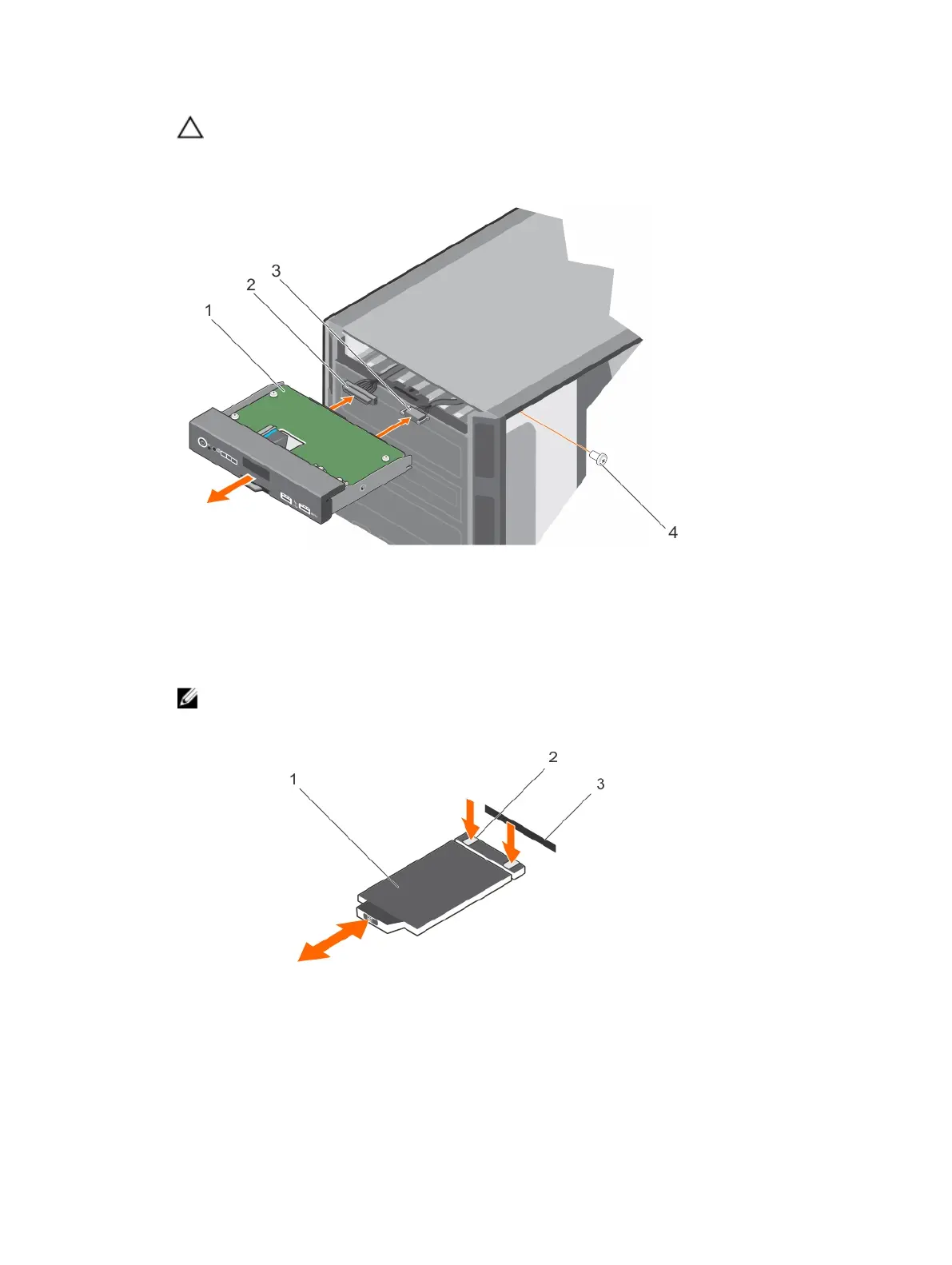
CAUTION: Do not use excessive force when removing the control panel cables as it can
damage the connectors.
3. Slide the control panel out of the chassis.
4. Disconnect the control panel cable and the control panel USB cable from the control panel.
Figure 94. Removing the control panel assembly
1. control panel 2. control panel cable
3. control panel USB cable 4. screw
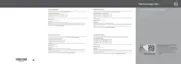
5. Locate and press the tabs on the information tag.
6. Push the information tag out of the slot to remove it from the control panel.
NOTE: Retain the information tag to replace it in the new control panel.
Figure 95. Removing and installing the information tag
1. information tag 2. tab (2)
190












 To Next Page