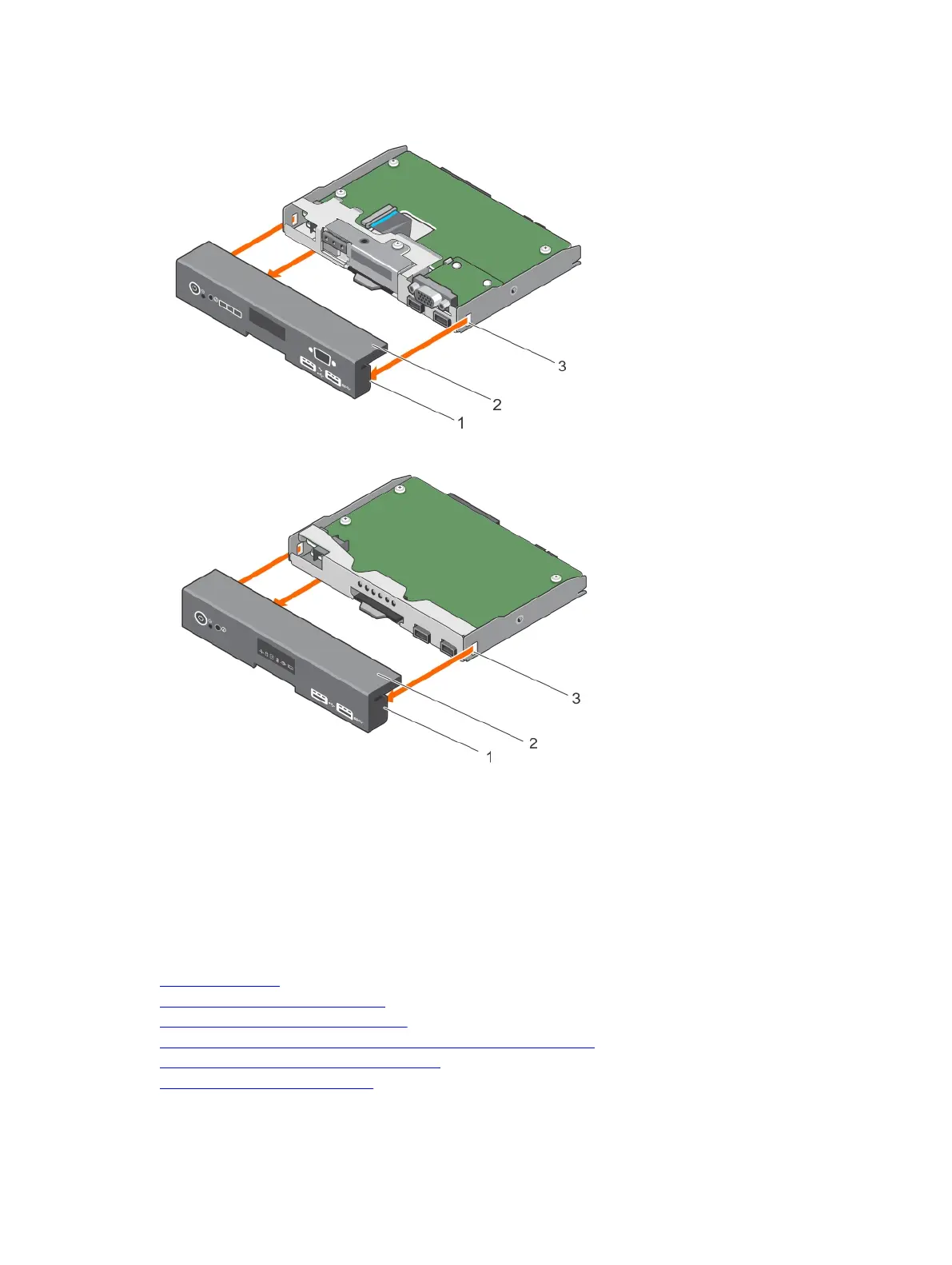
3. Pull the control panel assembly cover to detach it from the control panel.
Figure 97. Removing the control panel assembly cover for system with LCD panel
Figure 98. Removing the control panel assembly cover for system with LED panel
1. tab (3) 2. control panel assembly cover
3. slot (3)
Next steps
1. Install the control panel assembly cover.
2. Follow the procedure listed in the After working inside your system section.
Related links
Safety instructions
Before working inside your system
Removing the control panel assembly
Preparing a system for conversion from tower mode to rack mode
Installing the control panel assembly cover
After working inside your system
193












 To Next Page