Steps
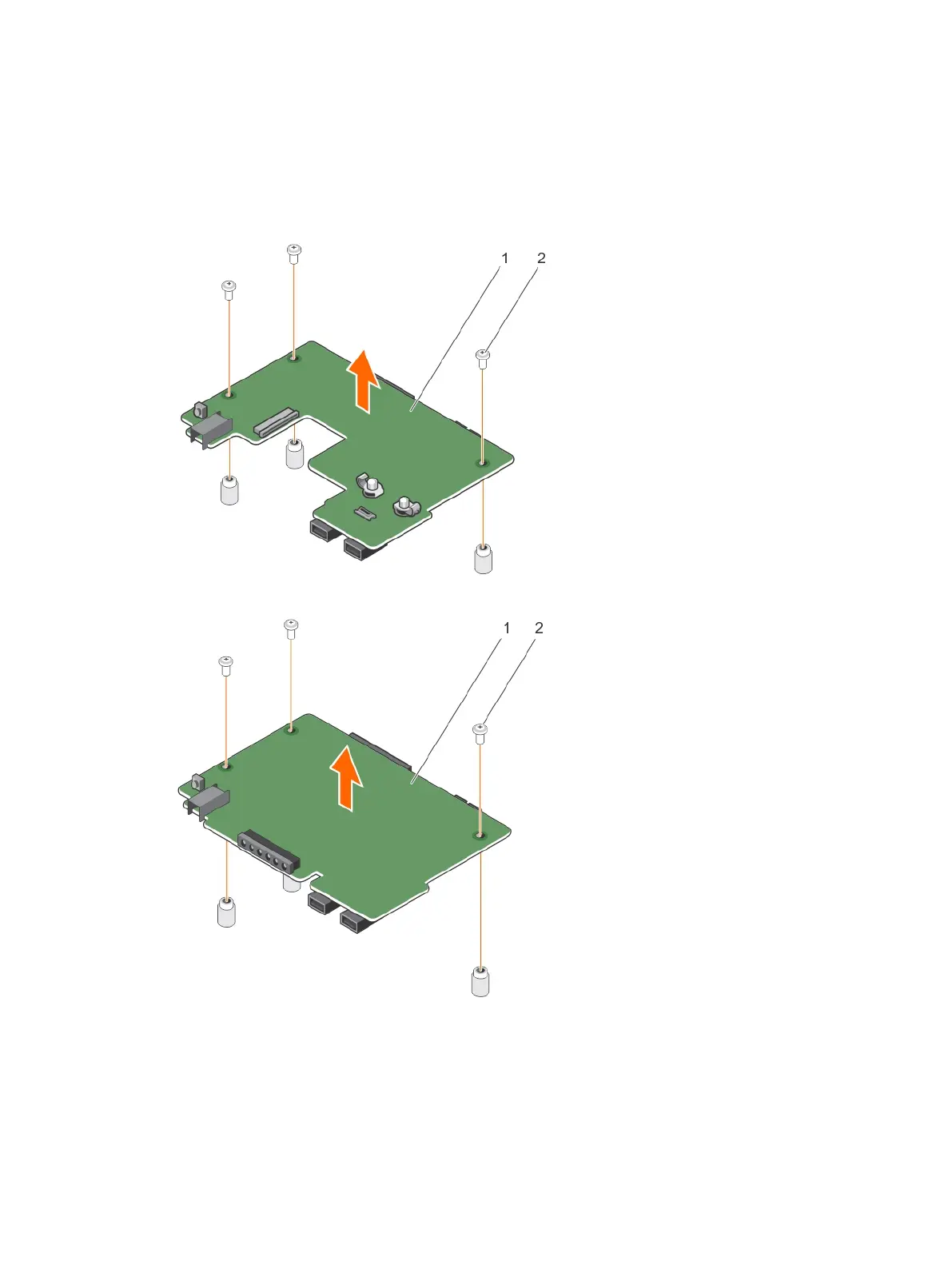
1. Remove the screws that secure the control panel board to the control panel.
2. Lift the control panel board until the control panel board disengages from the slots on the control
panel.
3. Slide the control panel board toward the back of the control panel, and lift the control panel board
away from the control panel.
Figure 101. Removing the control panel board for systems with hot swappable hard drives
Figure 102. Removing and installing the control-panel board for systems with cabled hard drives
1. control-panel board 2. screw (3)
196












 To Next Page