i. processors(s)
CAUTION: To prevent damage to the processor pins when replacing a faulty system
board, ensure that you cover the processor socket with the processor protective cap.
j. memory modules
Steps
1. Disconnect all cables from the system board.
CAUTION: Take care not to damage the system identification button while removing the
system board from the chassis.
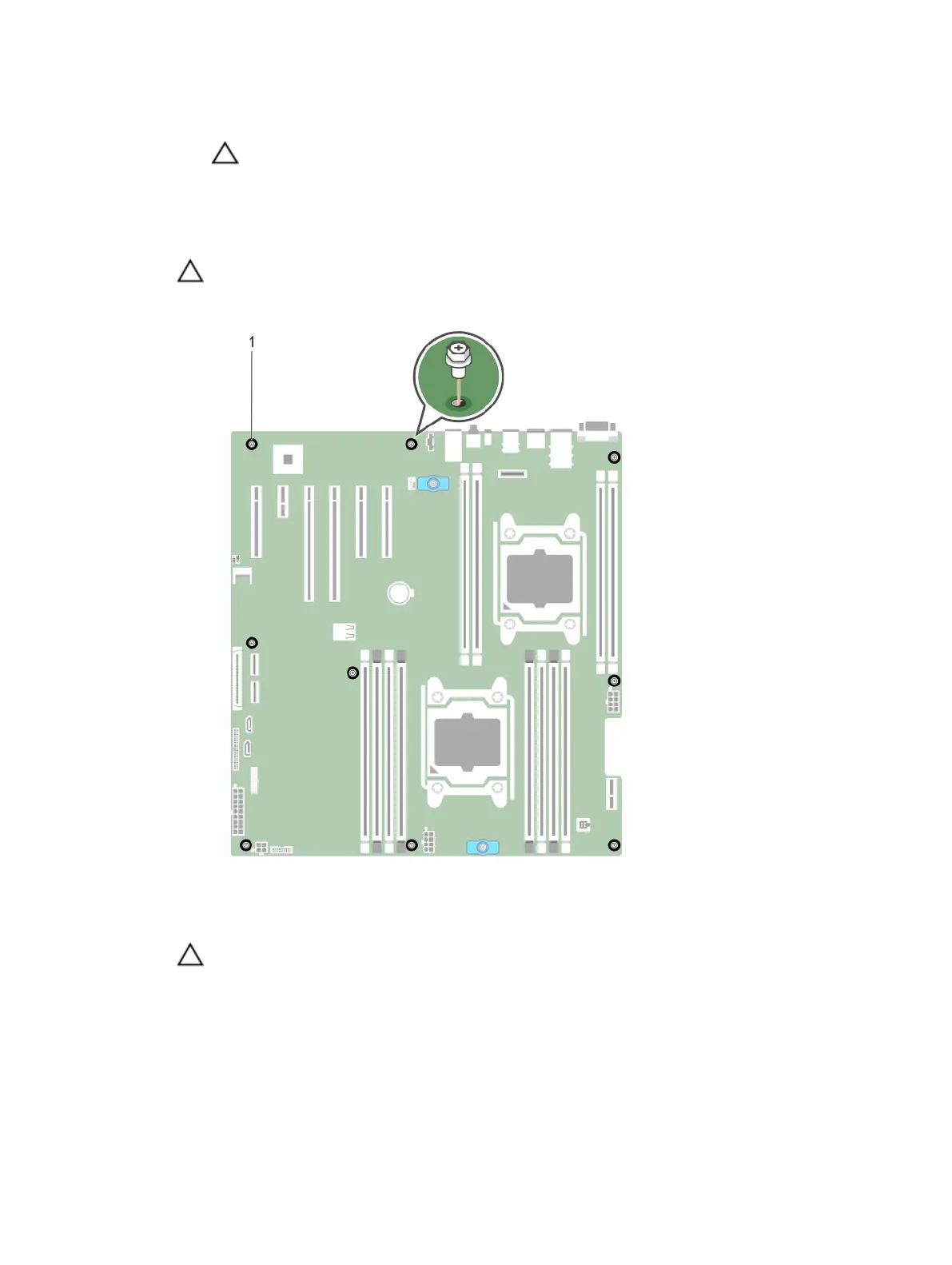
2. Remove the screws that secure the system board to the chassis.
Figure 109. Removing the screws on the system board
1. screws (9)
CAUTION: Do not lift the system board by holding a memory module, processor, or other
components.
205












 To Next Page