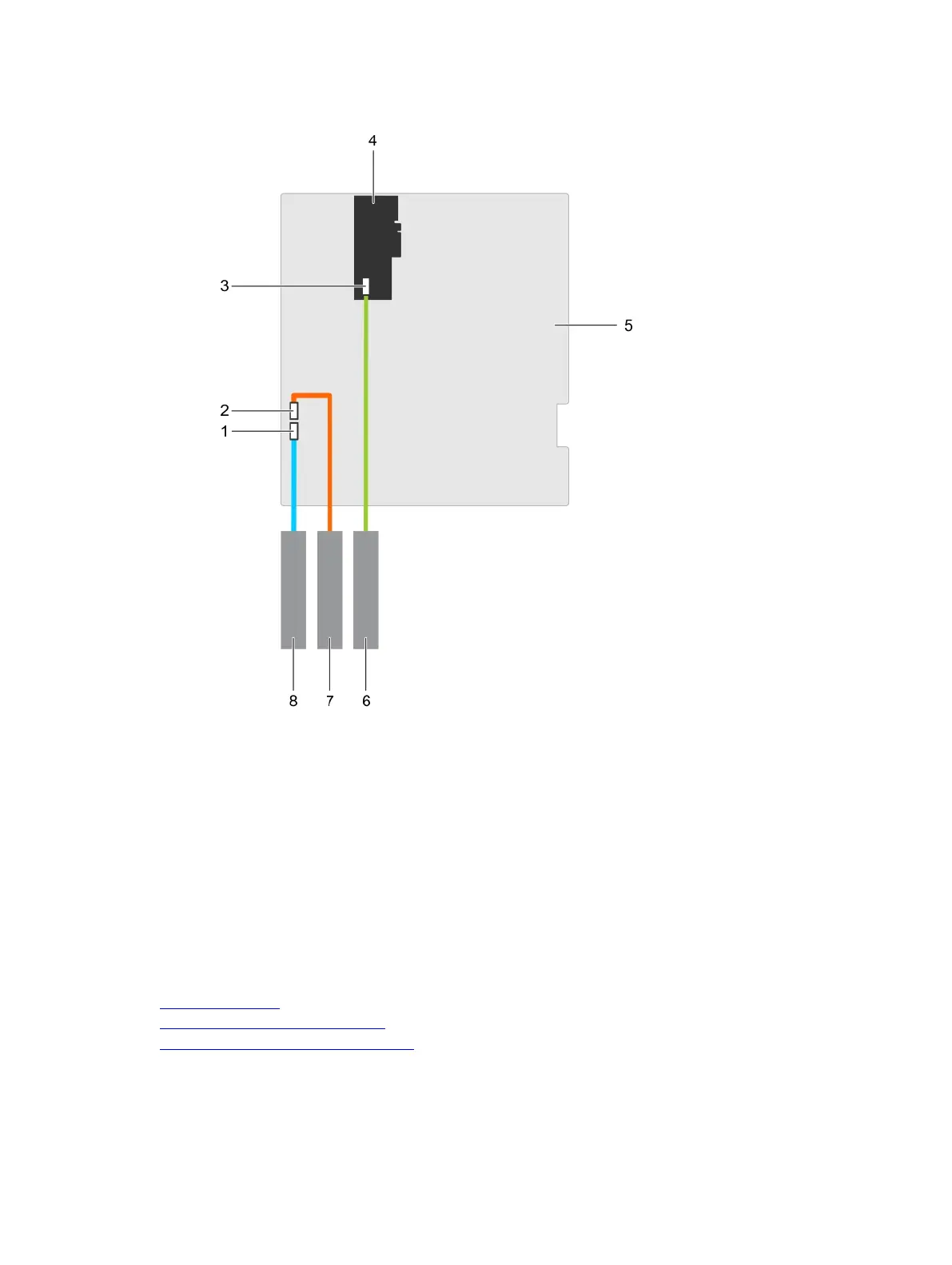
Figure 24. Cabling— optical drive and tape drive
1. optical drive connector on system board 2. tape drive connector on system board
3. SAS tape drive connector on the PERC
card
4. PERC card
5. system board 6. SAS tape drive
7. tape drive 8. optical drive
Next steps
1. Install the optical drive or tape drive.
2. Follow the procedure listed in the After working inside your system section.
Related links
Safety instructions
Before working inside your system
Installing the optical drive or tape drive
93












 To Next Page