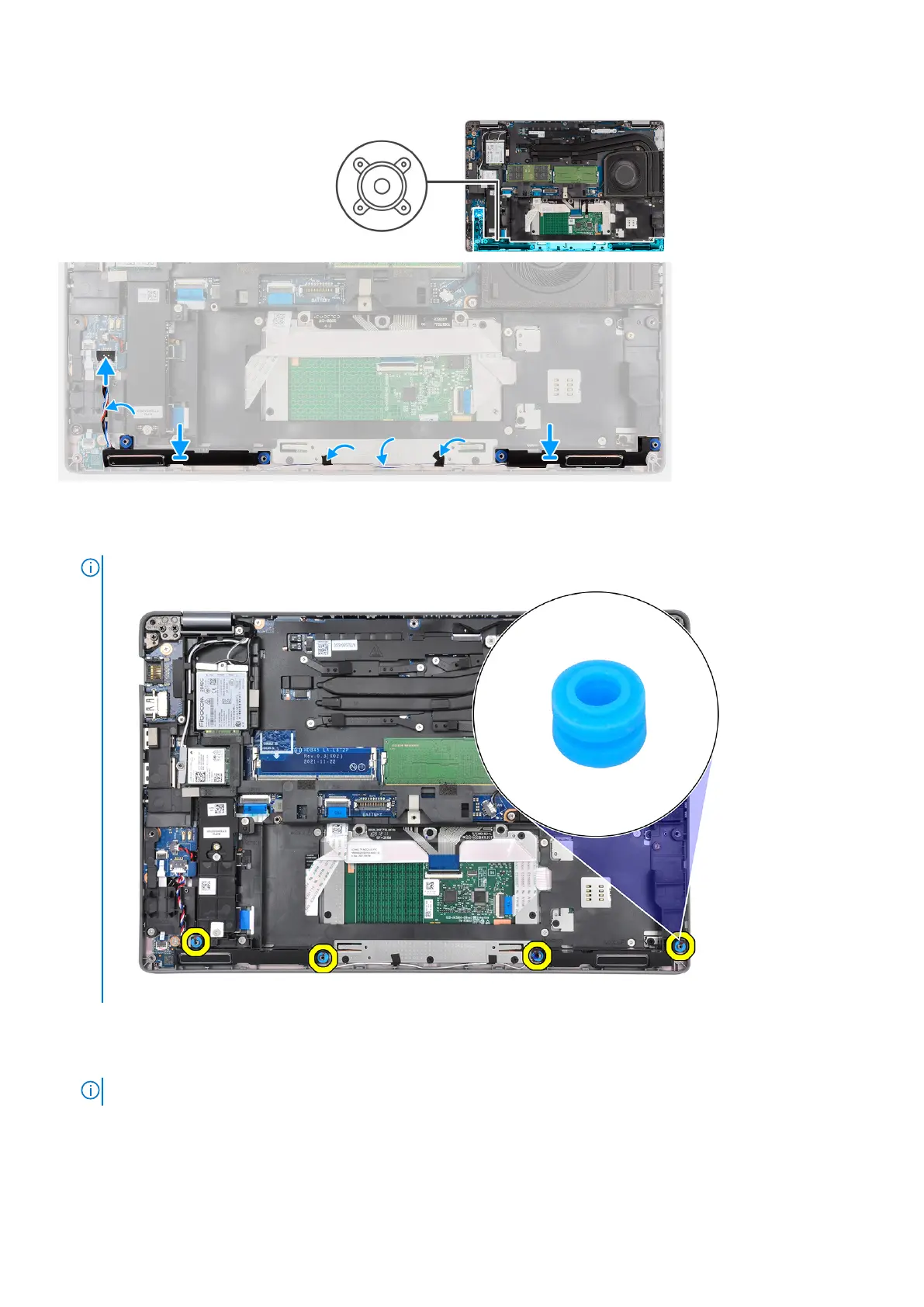
Steps
1. Using the alignment posts and rubber grommets, place the speakers on the slots of the palm-rest and keyboard assembly.
NOTE:
Replace the cushion rubbers if any one of the cushion rubber is separated from the speakers.
2. Route the speaker cable through the bottom-left corner of the system and ensure that the speaker cables are routed firmly
into the routing guides on the palm-rest and keyboard assembly.
3. Connect the speaker cable to the connector on the system board.
NOTE:
When routing the speaker cable, route the cables into the channels on the inner frame.
Removing and installing components 41












 To Next Page